For Crew & Approver
Answering Your Accountant: Replying to Comments and Reopened Envelopes
The short answer
When your accountant @mentions you in a comment, Dolly emails you. Reply to that email, writing above the quoted text, and your answer posts as a comment in Dolly.
A reply carries text only. Attachments are dropped, so send receipts the usual way: text a photo to Dolly, add it on the charge, or email receipts@dollycard.com.
If you got an Envelope Reopened email, replying won’t help. Open the envelope, fix what the comment asks for, and send it for approval again.
Answer a comment by email
Comment emails have a subject like “Alex Rivera mentioned you in a comment on…” and come from “Alex Rivera via Dolly.”
- Reply from the same email address the notification went to. A forwarded copy or an alias won’t match.
- Write your answer above the line that reads Reply above this line. Anything below it is ignored.
- Send. Your answer shows up as a comment marked via email, and the person who mentioned you is mentioned back, so they get an email too.
Keep it under 500 characters. That’s the limit for any comment. You can reply for 90 days after the email was sent.
Answer in Dolly instead
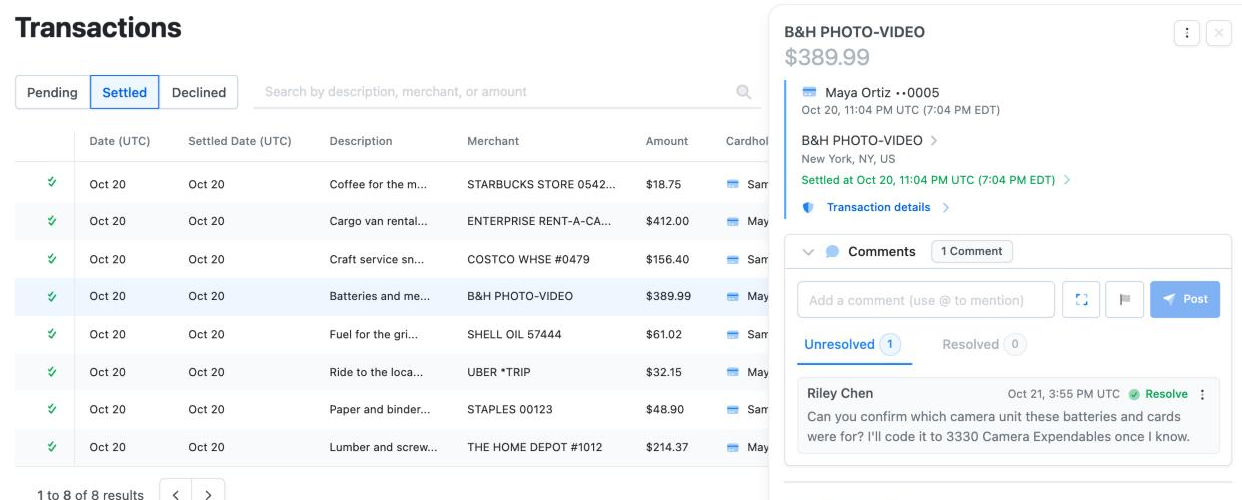
Open the email’s View button to go straight to the charge or envelope. In the comments, choose Reply under the comment, or type in the comment box and use @ to mention someone. Then choose Post.
Once you’ve mentioned someone, you may also see Post privately. A private comment is visible only to you and the people you mentioned. Replies to a private comment stay private.
What a reply can and can’t do
| If your accountant needs | Do this |
|---|---|
| An answer to a question | Reply to the comment email, or reply in Dolly. |
| A missing receipt | Don’t attach it to your reply. It won’t be saved. Text a photo to Dolly, add it on the charge, or email it to receipts@dollycard.com. |
| New account coding or a description | Change it on the charge in Dolly, or by text. |
| Changes to a reopened envelope | Open the envelope in Dolly, fix it and send it for approval again. |
More on receipts: How to Send a Receipt. More on coding: Reconciling a Charge.
Your envelope was reopened
An Envelope Reopened email means an approver sent your envelope back for edits. The email names the envelope and card and, if they left one, shows their comment saying what to change.
Choose View Envelope, fix the charges the comment points to, then choose Send for Approval again. Replying to this email reaches Dolly Support, not your accountant. If you have a question, leave a comment on the envelope and @mention them.
See Envelopes for Crew for sending an envelope.
Frequently asked questions
- Do I get an email for every comment?
- No. Dolly emails you when someone @mentions you, or when someone resolves a comment you wrote. You’ll see other comments on the charge or envelope in Dolly.
- Who can see my reply?
- Everyone who can see the comment you answered. A reply to a private comment stays private.
- Can I reply from my phone?
- Yes, from any mail app, as long as it sends from the address the email went to.
- My accountant says my answer never arrived.
- Check your inbox for an email from Dolly explaining why the reply wasn’t posted. If there isn’t one, open the charge in Dolly and post your answer there.
- Can I reply to other Dolly emails?
- Replies to most Dolly emails, like approval requests or charge alerts, go to Dolly Support. Only comment emails post your reply in Dolly. The one other exception is the unreconciled transactions reminder: reply with receipts attached and Dolly files them. See Emails and Texts Dolly Sends.
Keep reading
Get cards to your crew in as little as 24 hours.
Dolly issues controlled cards to every department, codes each charge to your budget, and keeps spend audit-ready as it happens.