For Crew
How to Send a Receipt
The short answer
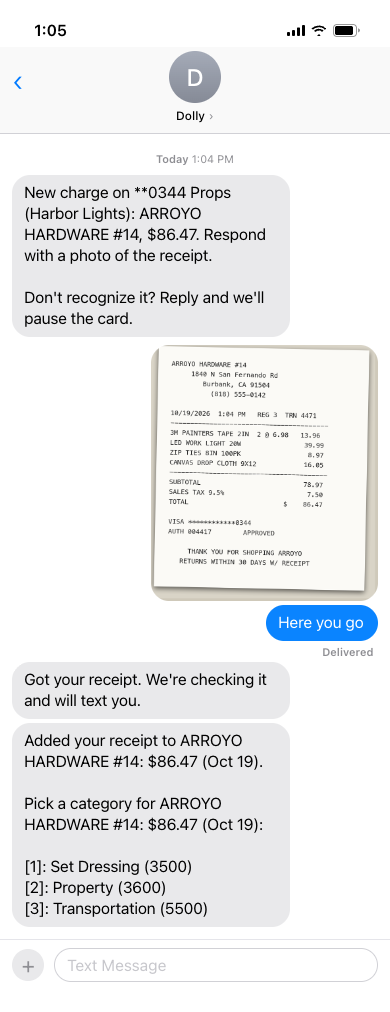
The fastest way is to text a photo of the receipt to Dolly, the same number that texts you about your charges. Dolly reads the total and date, finds the matching charge and texts you back. You can also email it to receipts@dollycard.com from the email on your Dolly account, or upload it on the charge at app.dollycard.com.
By text
After you swipe, Dolly texts you the charge and asks for the receipt. Reply with a photo and it is filed on that charge. You can also send a photo any time, and Dolly matches it to your charges by the total and the date, then texts you: Receipt added to the charge.
Photos, screenshots and PDFs all work. For a long receipt, send the second photo right after the first and Dolly keeps them together. A note with the photo, like “lunch for camera dept”, can be saved as the charge’s description.
By email
Email the receipt to receipts@dollycard.com from the email address on your Dolly account. Attach it as a photo or PDF. Each attachment is one receipt, and the subject and message are not read. Dolly emails you back when it matches, or with tips when it can’t.
You can also reply to Dolly’s weekly Unreconciled Transactions Summary email with your receipts attached.
On the web
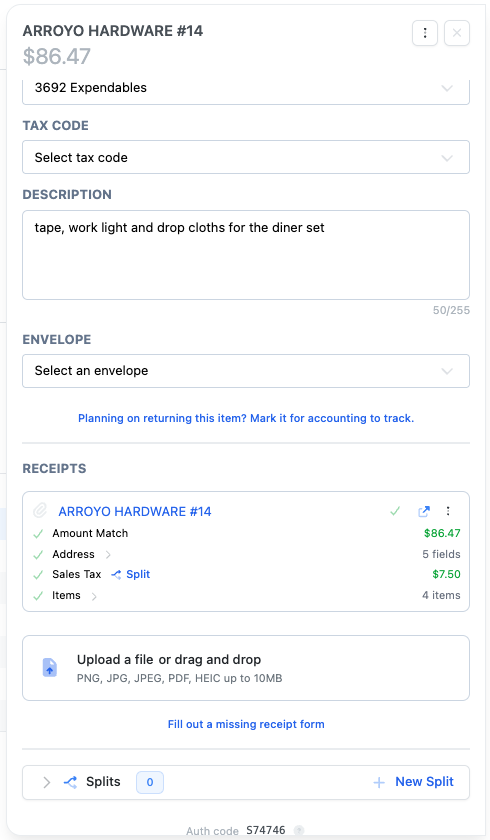
Sign in at app.dollycard.com, open the charge on Transactions, and drop the file in Receipts. PNG, JPG, PDF and HEIC files up to 10 MB each work.
Fixing a receipt
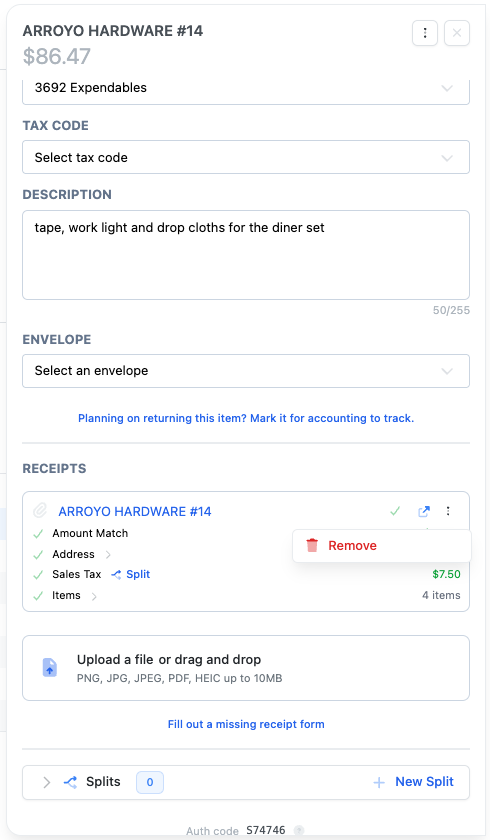
- Wrong receipt on a charge? Open the charge, choose ⋮ on the receipt, then Remove, and add the right one.
- After the envelope is sent for approval, you can still add receipts, but not remove them. Ask your admin.
- Declined charges do not take receipts. Only pending and settled charges do.
No receipt?
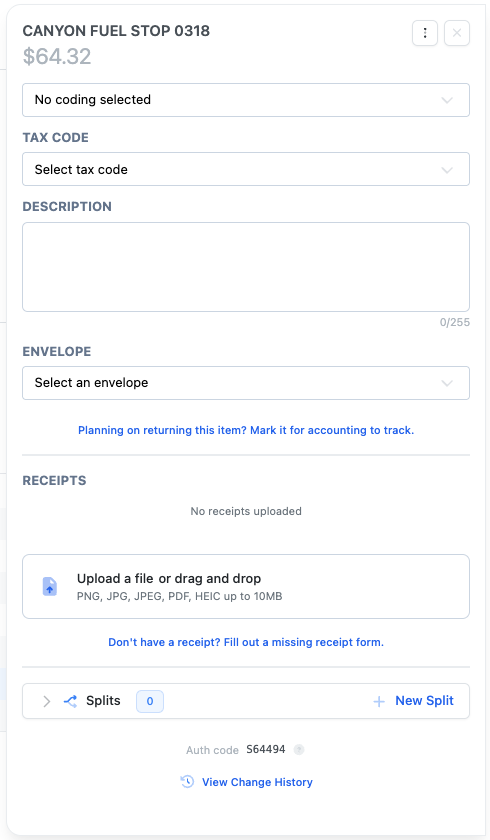
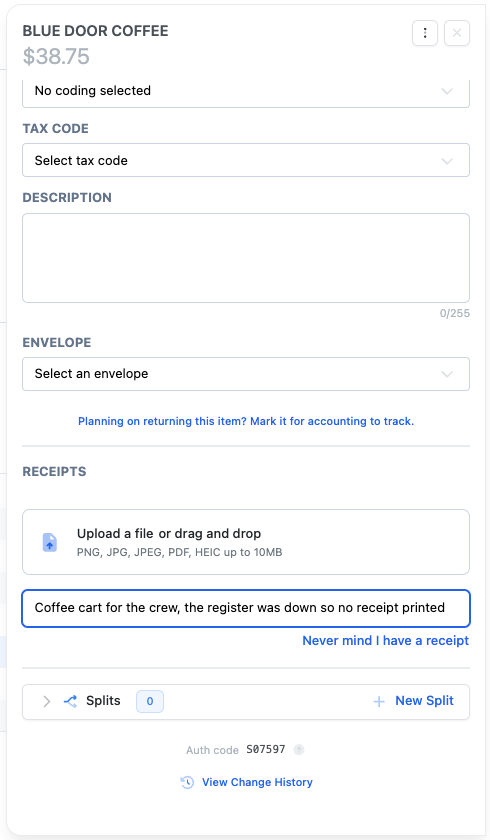
Open the charge and choose Don’t have a receipt? Fill out a missing receipt form. Your production either has a form to fill in, or a box asking Why don’t you have a receipt? This can’t be done by text.
Click through it yourself
Reconciling transactions
Code a charge, upload its receipt and add it to an envelope from the card page.
Submit a missing receipt form
Fill out the missing receipt declaration when you lost the receipt or never got one.
Frequently asked questions
- What number do I text receipts to?
- The number Dolly texts you from about your charges. Reply to any of those texts.
- I emailed a receipt and nothing happened.
- Dolly only reads emails sent from the address on your Dolly account, with the receipt attached. Check the total matches the charge, or upload it on the charge instead.
- Do refunds need a receipt?
- Dolly may ask for the return receipt. Send it the same way as any receipt.
Keep reading
Get cards to your crew in as little as 24 hours.
Dolly issues controlled cards to every department, codes each charge to your budget, and keeps spend audit-ready as it happens.