For Crew
Envelopes for Crew
The short answer
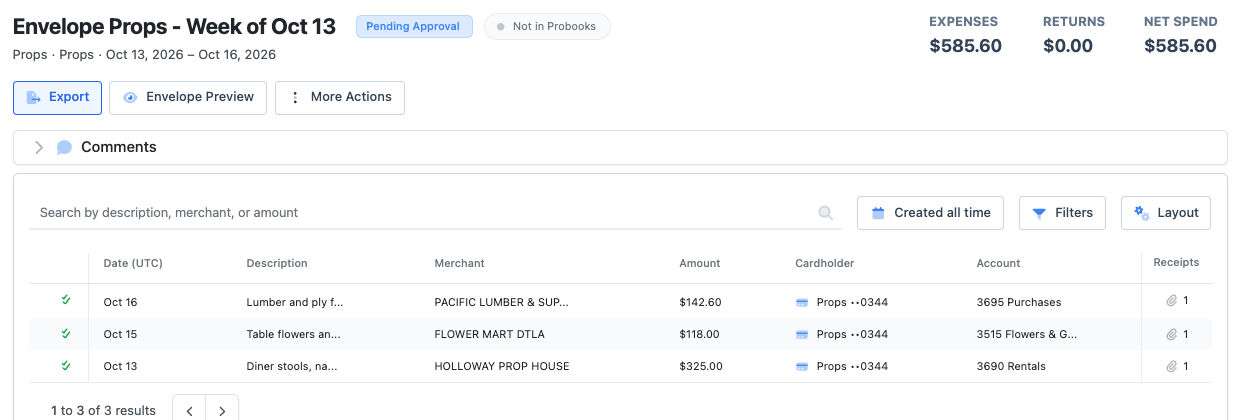
An envelope groups your charges so your production can approve and post them together, often one per week. Open your card at app.dollycard.com, choose Manage Envelopes, move charges in, then Send for Approval. After that it is locked, so reconcile the charges first.
Fill an envelope
- Open Cards, then your card. Your envelopes are tabs above your charges.
- Choose Manage Envelopes, select charges, and move them to an envelope. To start a new one, select the charges and choose Create Envelope.
- Choose Done Managing.
Some productions create a weekly envelope for you every Monday with last week’s charges, so you only check it and send it.
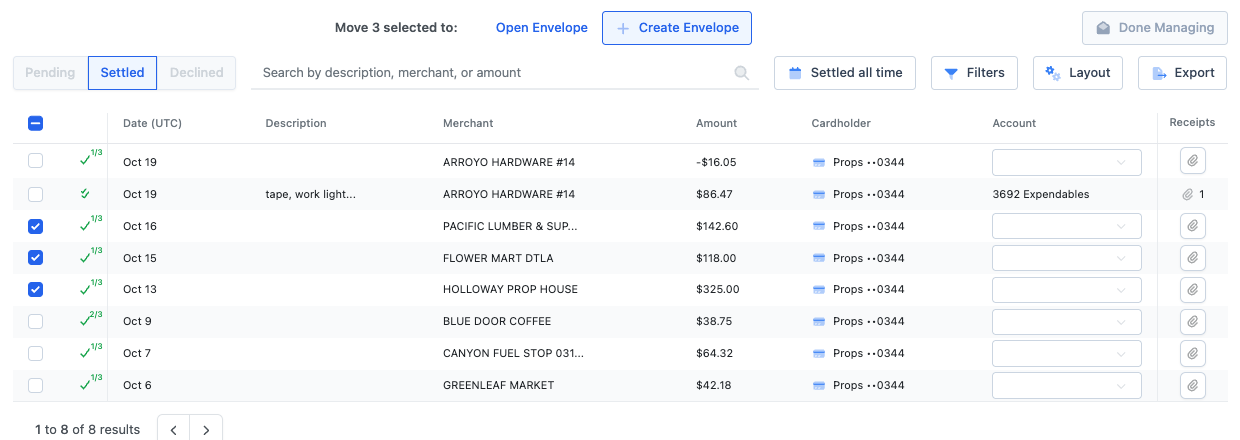
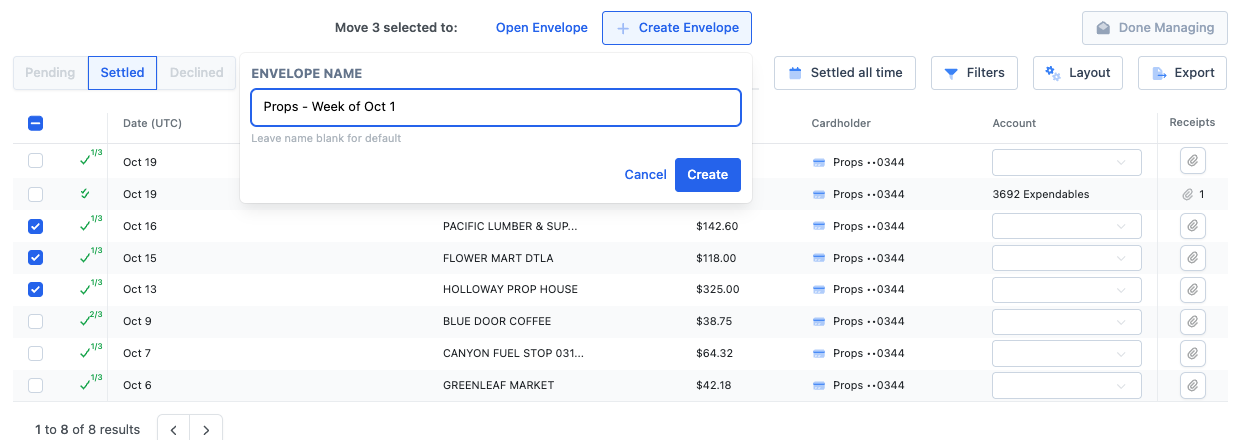
Send it for approval
When every charge is reconciled, the card page offers Submit for approval., or open the envelope and choose Send for Approval. Your production may block sending while charges are missing receipts, coding or set codes. Dolly lists what to fix.
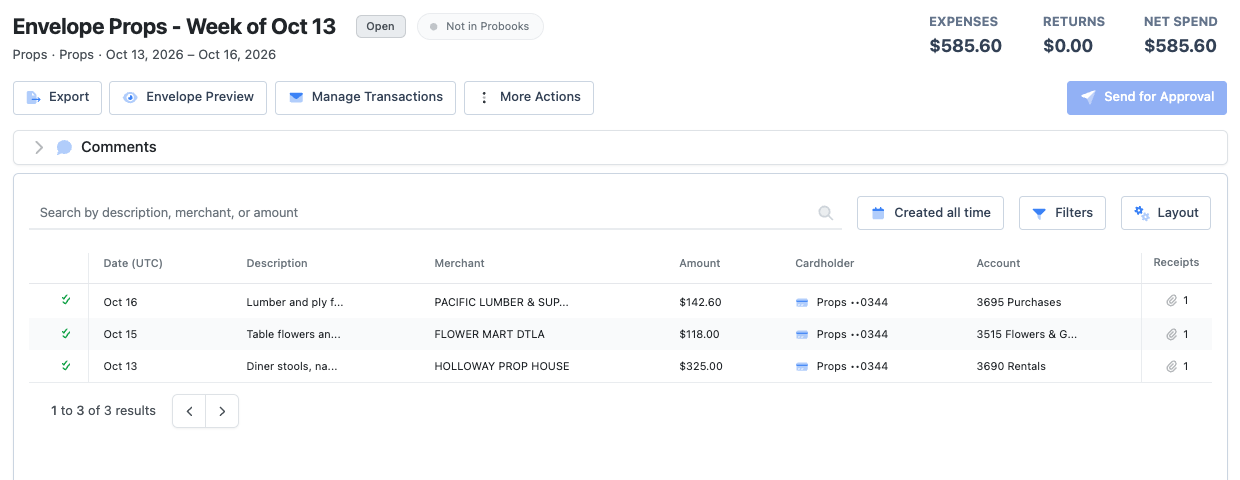
After you send it
| Status | What it means for you |
|---|---|
| Open | You can add and remove charges. |
| Pending Approval | With your approvers. You can still add receipts, but not change coding or remove charges. |
| Approved | Signed off. You can’t edit it. |
| Posted | Sent to the production’s books. Locked. |
If something needs changing after you send it, ask your admin. They can reopen it for you.
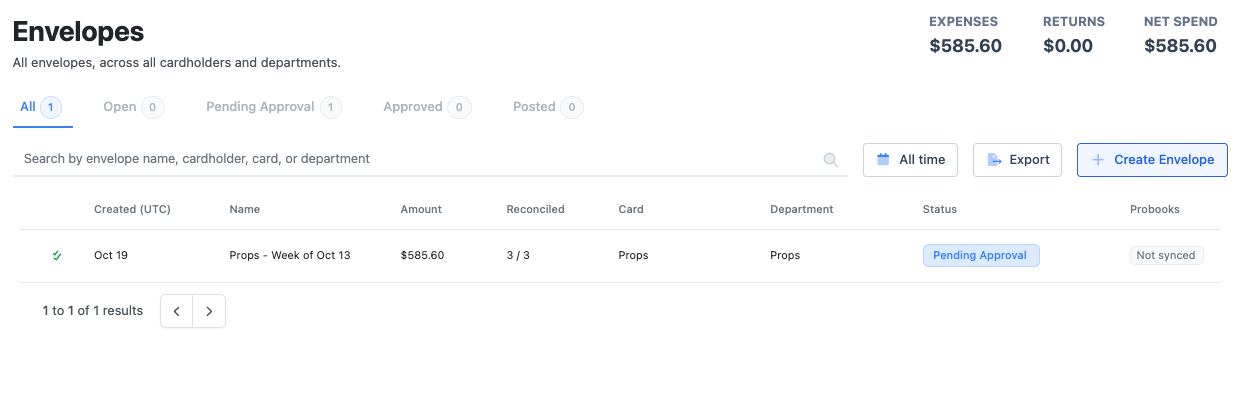
Click through it yourself
Create and send an envelope for approval
Build an envelope from your charges and send it to your approvers.
Frequently asked questions
- What happens if I don’t send my envelope?
- Some productions pause cards at the end of the week when last week’s charges haven’t been sent. See why a card is paused.
- Can I do this by text?
- On some productions you can text Dolly to put charges in an envelope. Check and send it on the web.
Keep reading
Get cards to your crew in as little as 24 hours.
Dolly issues controlled cards to every department, codes each charge to your budget, and keeps spend audit-ready as it happens.