For Crew
Reconciling a Charge
The short answer
A charge is reconciled once it has settled and has everything your production requires. That is usually a receipt (or a missing-receipt reason) and account coding, and sometimes a description. Text Dolly and choose Charges to reconcile to go through them one by one, or fill them in on the Transactions page.
What a charge can need
| Requirement | How to add it |
|---|---|
| Receipt | Text a photo, email it, or upload it. See sending a receipt. |
| Account coding | Pick the category and account, by text or under Account Coding on the charge. |
| Description | A few words on what it was for, by text or in Description. |
| Settled | Nothing to do. Pending charges can’t be reconciled until they settle. |
Your production decides which of these it needs. Hover the check mark on a charge to see what is missing.
By text
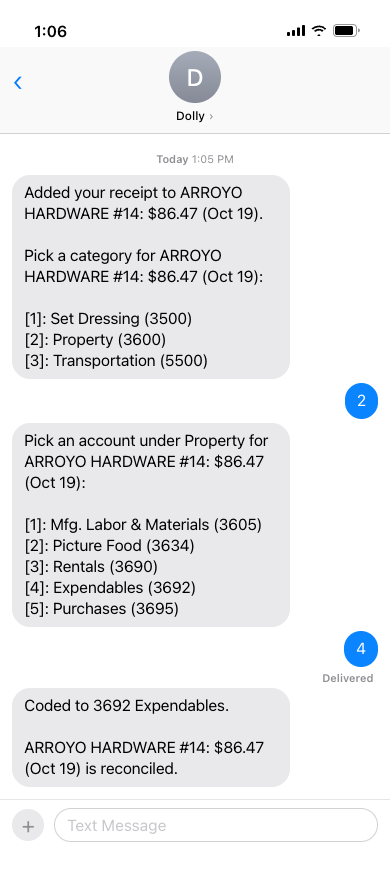
- Text Dolly anything, or reply 1 to the menu for Charges to reconcile.
- Reply with the number of a charge.
- Pick a category, then an account. Dolly confirms, for example “Coded to 5100 Catering.”
- Answer What was it for? if your production needs a description, and send the receipt photo if it is missing.
After each step Dolly tells you what the charge still needs, or that it is reconciled.
On the web
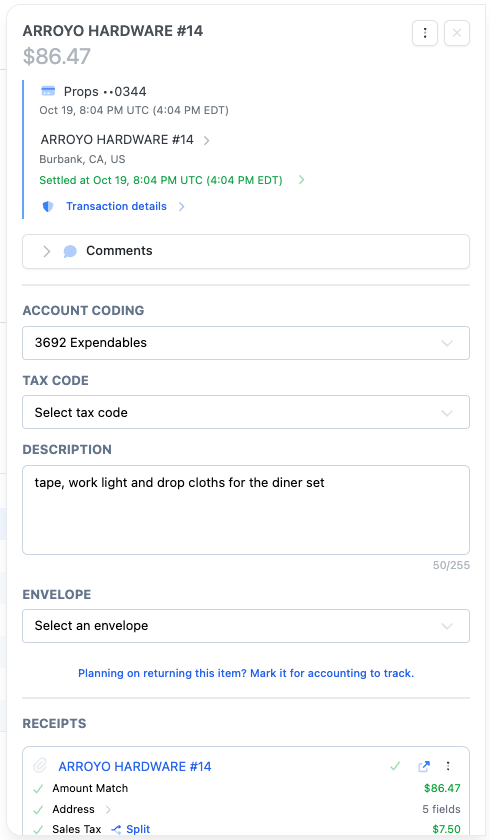
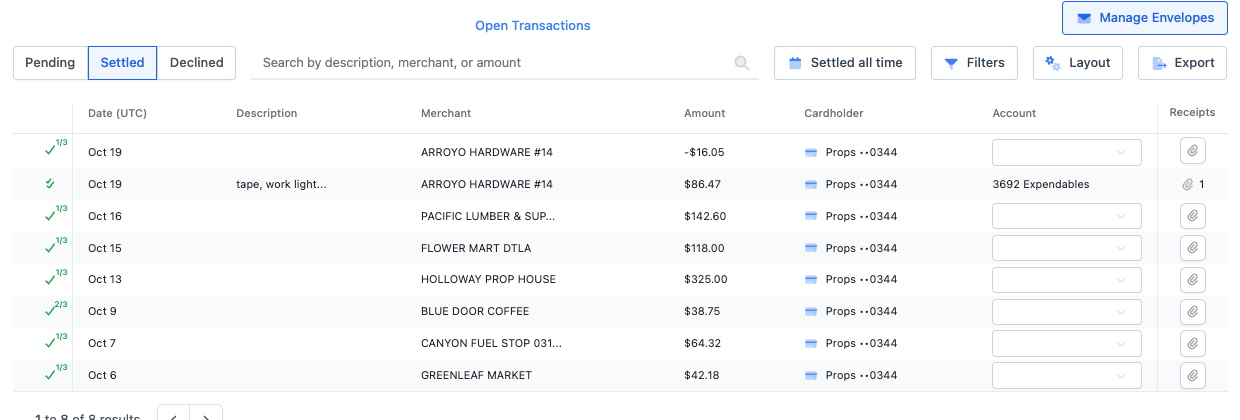
Sign in at app.dollycard.com and open Transactions. Filter Reconciliation Status to Unreconciled to see what is left. Open a charge and fill in Account Coding, any other code fields your production uses, Description and Receipts.
A double check mark means reconciled. Once a charge is in an envelope that has been sent for approval, its coding is locked. Ask your admin if something needs to change.
Click through it yourself
Reconciling transactions
Code a charge, upload its receipt and add it to an envelope from the card page.
Frequently asked questions
- Why can’t I reconcile a charge yet?
- It hasn’t settled. Pending charges can be coded and given a receipt, but they count as reconciled only after they settle.
- Can I re-code a split charge by text?
- No. Change split charges on the web.
Keep reading
Get cards to your crew in as little as 24 hours.
Dolly issues controlled cards to every department, codes each charge to your budget, and keeps spend audit-ready as it happens.