Everyone
Finding a Transaction
The short answer
Open Transactions and pick a tab: Pending for charges that haven’t settled yet, Settled for charges that have, and Declined for card declines. Search by description, merchant or amount, set the dates, and use Filters to narrow the list. Crew see the charges on their own cards. Admins see every card on the production.
I'm using layout
Switch on the Transactions page under Layout.
The three tabs
| Tab | What it holds |
|---|---|
| Pending | Charges the merchant has authorized but not settled yet. You can already add a receipt and coding here. |
| Settled | Charges that have settled. This is where you reconcile, split and put charges in envelopes. |
| Declined | Declined charges, with the reason. Admins can see every card’s declines. |
A charge usually moves from Pending to Settled within a few days. The totals at the top right (Expenses, Returns and Net Settled on the Settled tab) follow the tab, dates and filters you have set.
What the table looks like
One row per charge. Choose a row to open it on the right, where you add its receipt, coding and description. A charge with no account yet has an account box right in the row.
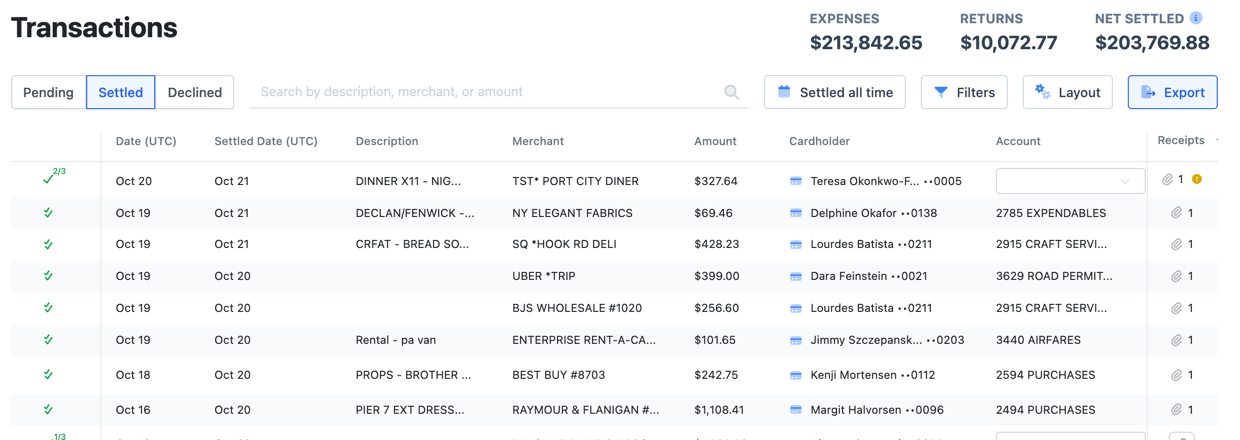
What the table looks like
A spreadsheet with one row per charge or split. You type, paste or fill down right in the cells, and nothing saves until you choose Save. Scroll right for Account, Envelope and your other code columns.
The bar above the grid codes many rows at once: select the rows, pick a field such as Account Code or Description, pick the value and apply it.
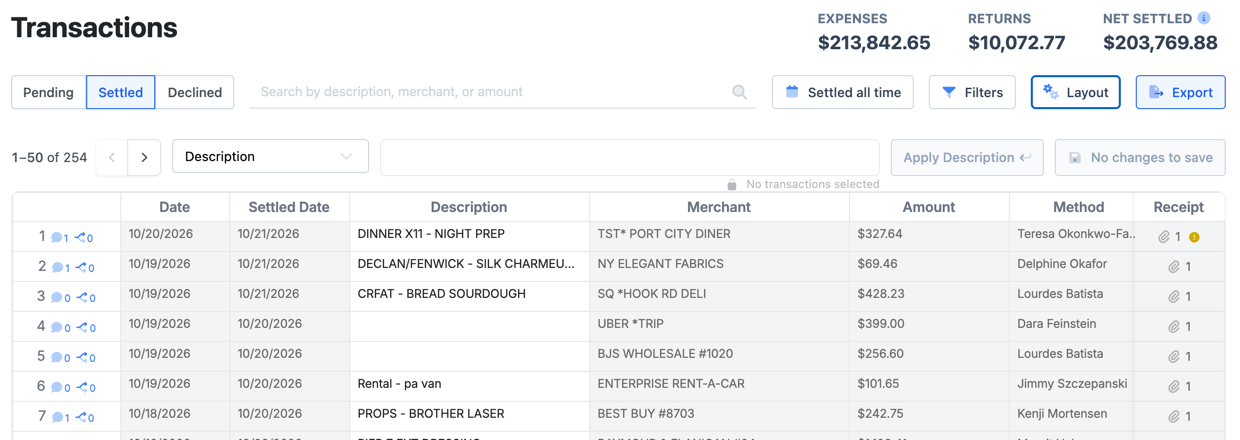
What the table looks like
One card per charge, with its GL string underneath: ACCT, SUB, SET, DESCRIPTION, TAX, LOC and the rest of your production’s fields. Type in a box and it saves right away.
The buttons on the right of each card attach a receipt, add a split and open more options (⋮).
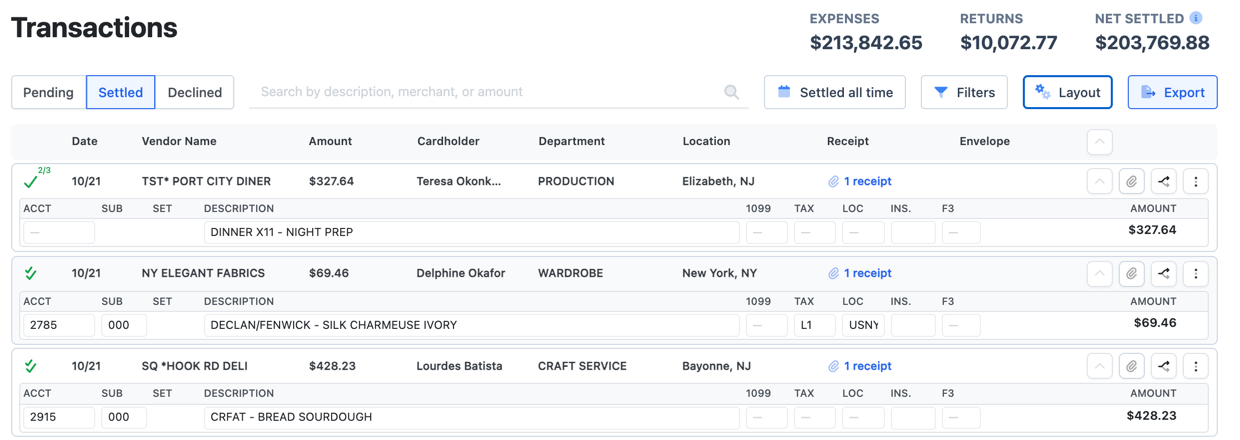
Narrow the list
- Search by description, merchant or amount in the box next to the tabs.
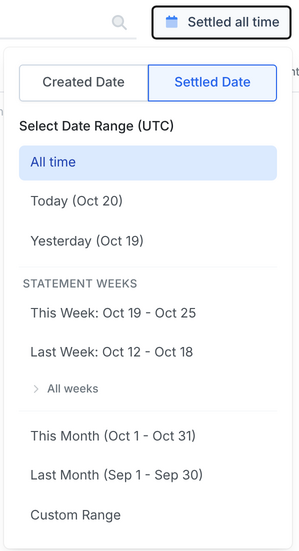
- Dates. Choose the date button, then Created Date (when the charge was made) or Settled Date, and a range: All time, Today, Yesterday, a statement week, This Month, Last Month or a Custom Range. Dates are in UTC.
- Filters. Pick a filter on the left to see its options. Changes apply right away, and Reset clears them. You can filter by amount, card, department, envelope and envelope status, Reconciliation Status, receipt, comment, merchant category, returns, disputes, account and other codes.
- Quick filters are ready-made sets: Unreconciled Transaction Report shows charges that still need something, and Unposted Transactions Report shows settled charges whose envelope hasn’t been posted yet. Picking one replaces your current filters.
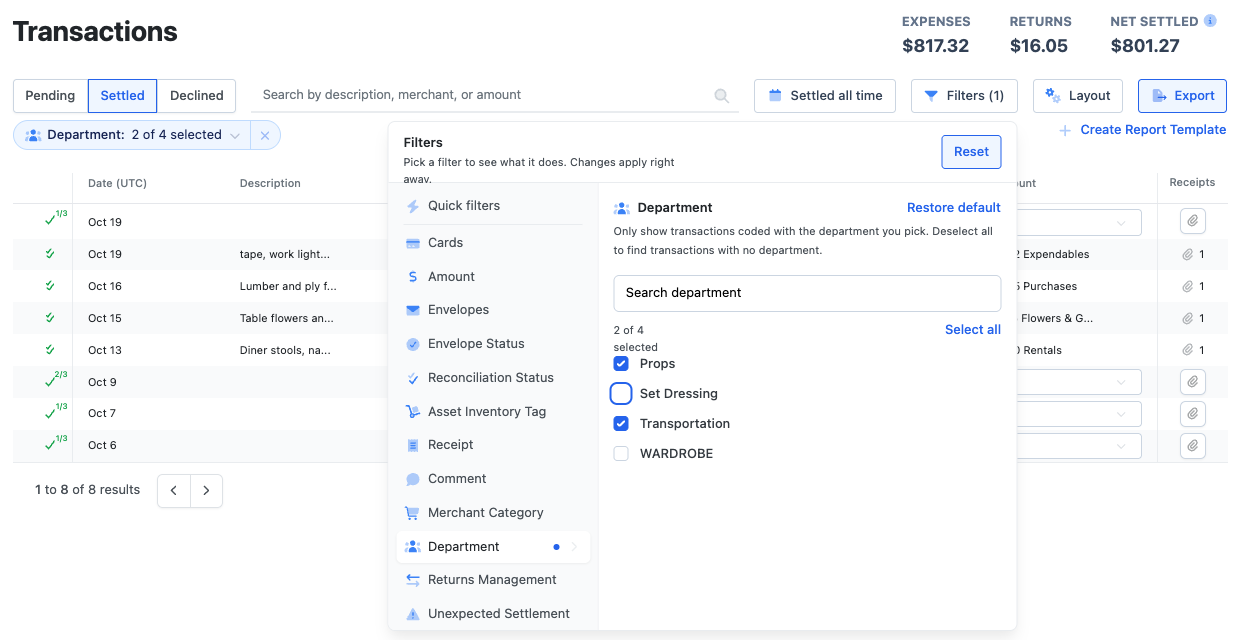
Change the view
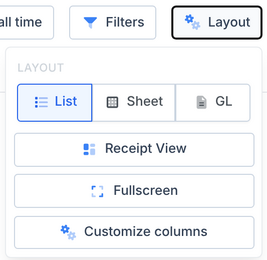
- Layout switches between List, Sheet and GL. Each one is shown above.
- Receipt View puts each charge’s receipt next to the list. Fullscreen hides the side menu.
- Admins can choose Customize columns to set the columns everyone sees. It opens Settings → Data Formats → View.
Save or export what you found
Export gives you the list as it is filtered on screen: Export as PDF, Export as CSV or Export as Excel.
On the Settled tab, once you have set filters, admins can choose Create Report Template, name it and Save Report. It shows up under Reports → Custom for next time.
Frequently asked questions
- I can’t find a charge I just made.
- Look on the Pending tab. A charge stays there until it settles, usually within a few days. If it was declined, it is on the Declined tab.
- Why don’t I see everyone’s charges?
- Crew see the charges on their own cards. Admins and accountants see every card on the production.
- Why is a charge on a different day than I expected?
- Dates on the Transactions page are in UTC, so a late-evening charge can show on the next day. Switch between Created Date and Settled Date to see which one you are filtering on.
- Can I see pending and settled charges in one list?
- No. They are on separate tabs. Check Pending for charges that haven’t settled yet and Settled for the rest.
- How do I see only what I still need to reconcile?
- Open Filters → Quick filters → Unreconciled Transaction Report, or filter Reconciliation Status to Unreconciled.
Keep reading
Get cards to your crew in as little as 24 hours.
Dolly issues controlled cards to every department, codes each charge to your budget, and keeps spend audit-ready as it happens.