For Admin & Accounting
Reports and Statements
The short answer
In the sidebar under Accounting, Statements shows settled spend by week, month or all time, for all transactions, by card or by department. Reports has ready-made reports for unreconciled, pending and unposted charges, plus any you save. To have reports emailed, use Settings → Reporting. Bank account statements are under Funds.
Statements
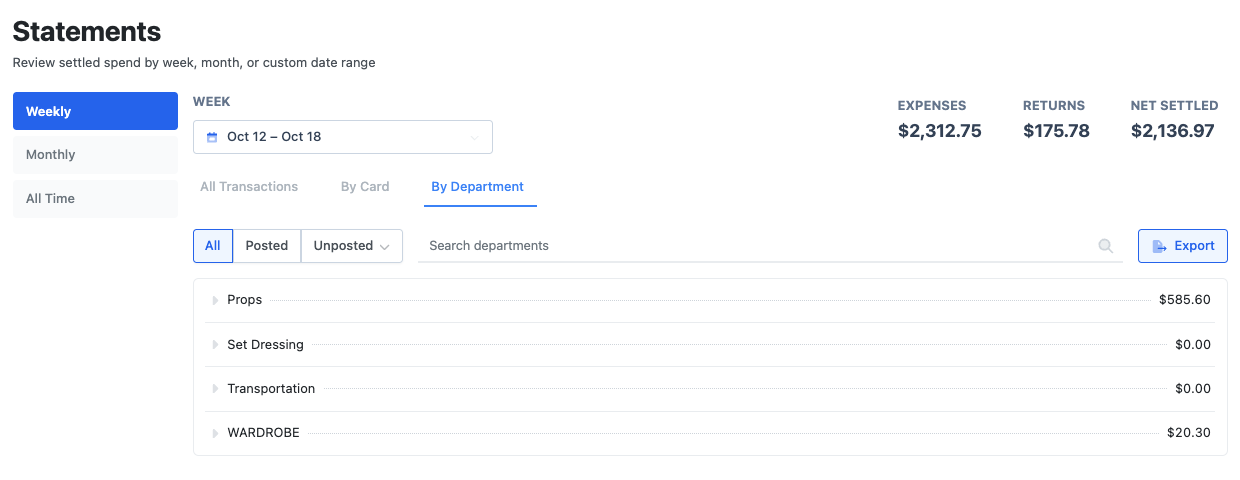
Choose Weekly, Monthly or All Time, then All Transactions, By Card or By Department. The Unposted filter narrows it to charges that are in an envelope, or not in one yet.
Export gives PDF, CSV or Excel. Pick several cards or departments and Dolly sends a zip with one file each.
Built-in reports
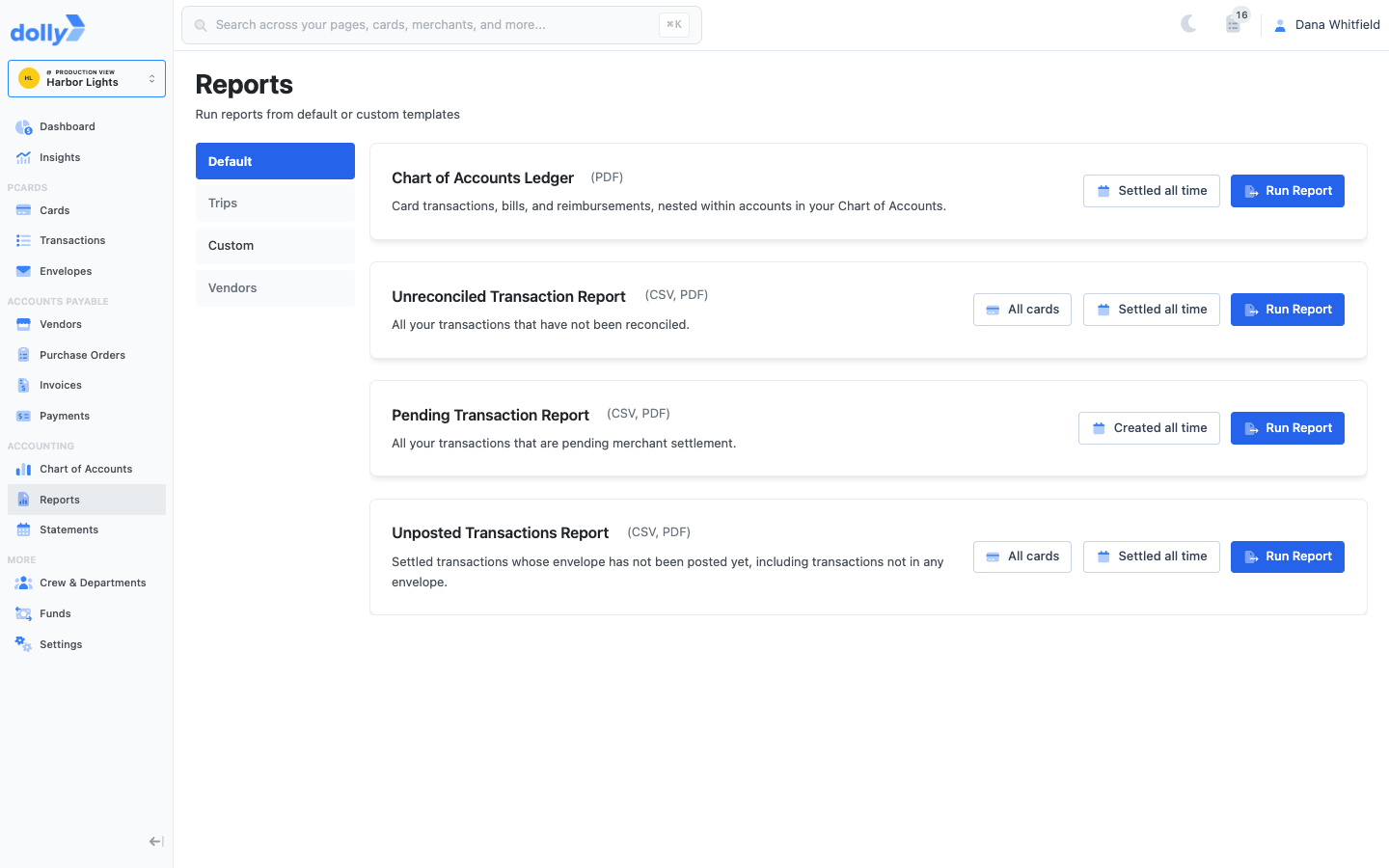
- Chart of Accounts Ledger: card charges, bills and reimbursements under each account.
- Unreconciled Transaction Report: charges still missing a receipt, coding or description.
- Pending Transaction Report: charges that have not settled yet.
- Unposted Transactions Report: charges not in a posted envelope.
Choose Run Report, then export as CSV or PDF. If carbon codes are on, a Carbon tab has carbon reports too.
Save your own report
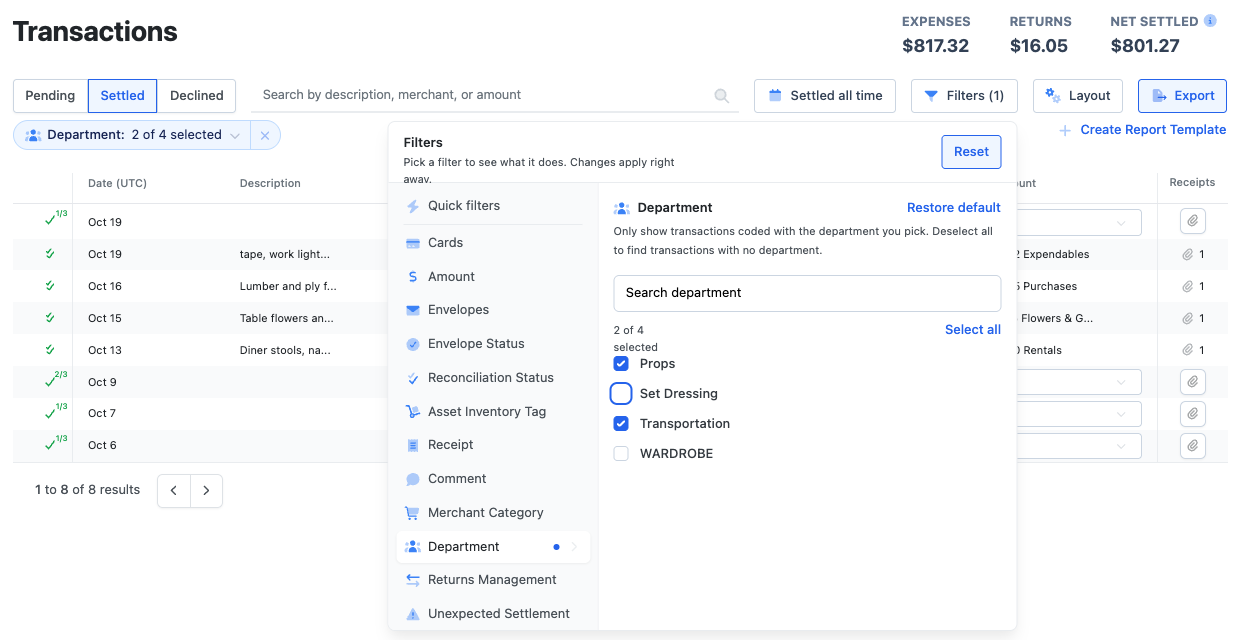
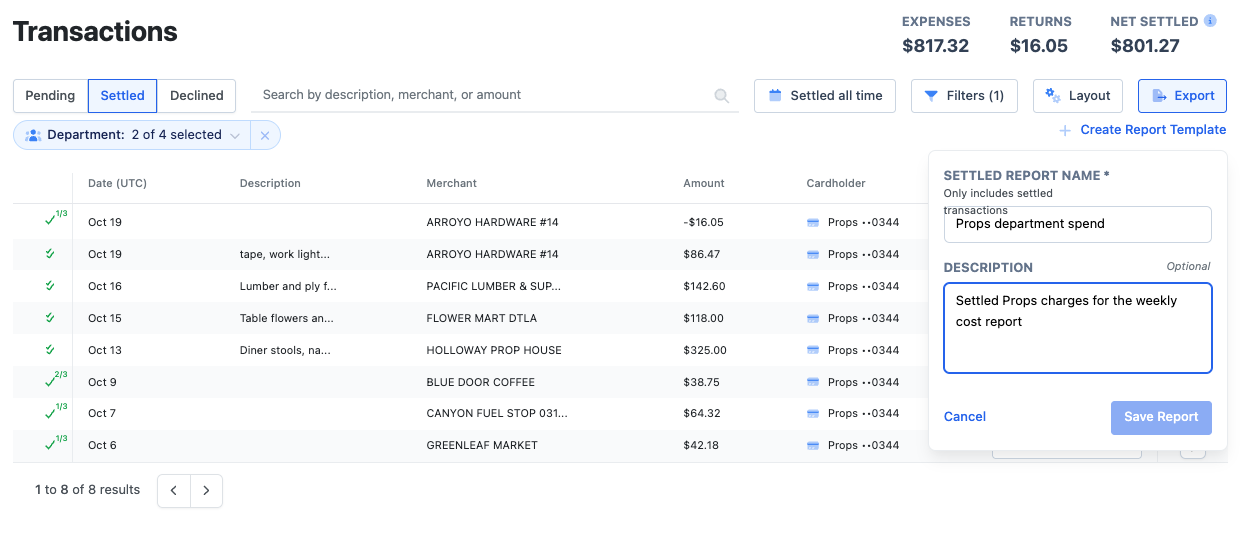
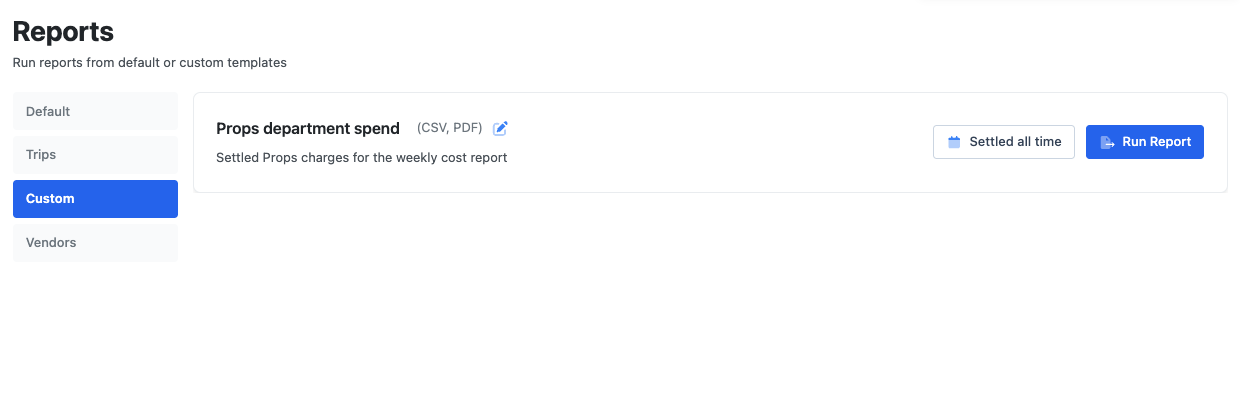
Set up filters on Transactions, then choose Create Report Template, name it and Save Report. It appears under Reports → Custom, where Edit Report changes the name, description or filters.
Emailed reports
In Settings → Reporting, choose a report, who gets it, the Cadence (daily, weekly, monthly, quarterly or annually) and the Delivery Time. Reports always cover full calendar days.
Built-in emails include the weekly Cardholder Settlement Report, the Department Settlement Report, unreconciled charges and old transactions past a set number of days. Add Report schedules one of your custom reports.
Click through it yourself
Understanding your funds
Read your available and pending balances, download statements and track transfers.
Filter transactions and build reports
Filter transactions by card type and tags, then build a custom report.
Frequently asked questions
- Who can see Reports and Statements?
- Workspace admins. Crew see their own charges on the Transactions page.
- Can a department head get a weekly report?
- Yes. Turn on the Department Settlement Report in Settings → Reporting and send it to department heads.
Keep reading
Get cards to your crew in as little as 24 hours.
Dolly issues controlled cards to every department, codes each charge to your budget, and keeps spend audit-ready as it happens.