For Accounting
Exporting from Dolly
The short answer
Most pages in Dolly have an Export button with PDF, CSV and Excel. The CSV columns are yours to set in Settings → Data Formats → Export. For Entertainment Partners, Cast & Crew, Wrapbook and QuickBooks, turn on that system in Settings → Integrations and Dolly matches its import layout.
Where to export
| Page | What you get |
|---|---|
| Transactions | Export as PDF, CSV or Excel, using the filters on screen. |
| Cards | Export as PDF, CSV or Excel. |
| Envelopes list | Summary, Detailed or Individual. Individual exports of more than 5 envelopes come as a zip, or choose Email me a link instead of downloading. |
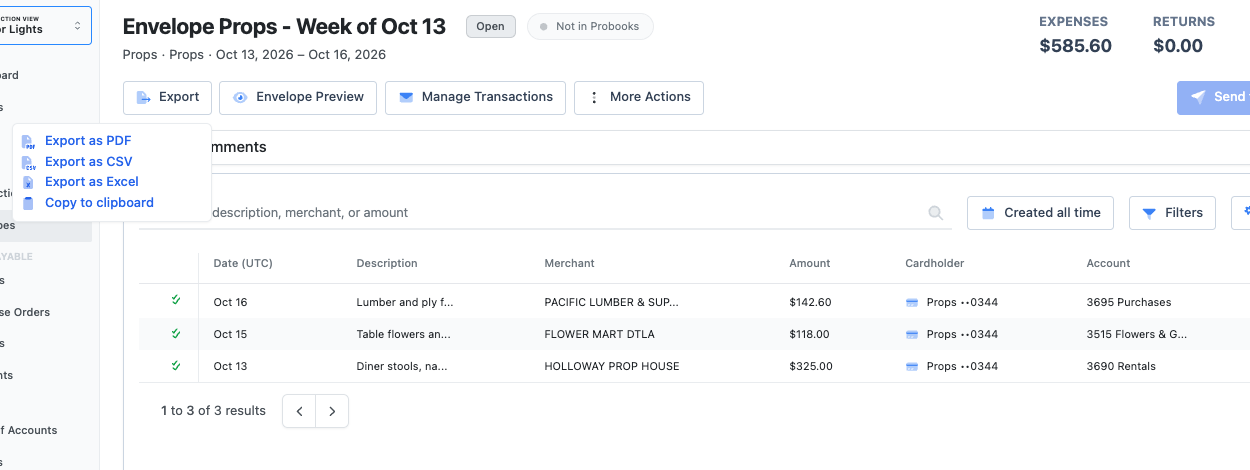
| One envelope | Export as PDF, CSV or Excel, or Copy to clipboard. |
| Statements | Export as PDF, CSV or Excel, up to 100 statements in one zip. |
| Accounts payable | CSV for importing, or Excel, which keeps codes like 0305 intact. |
Set your own columns
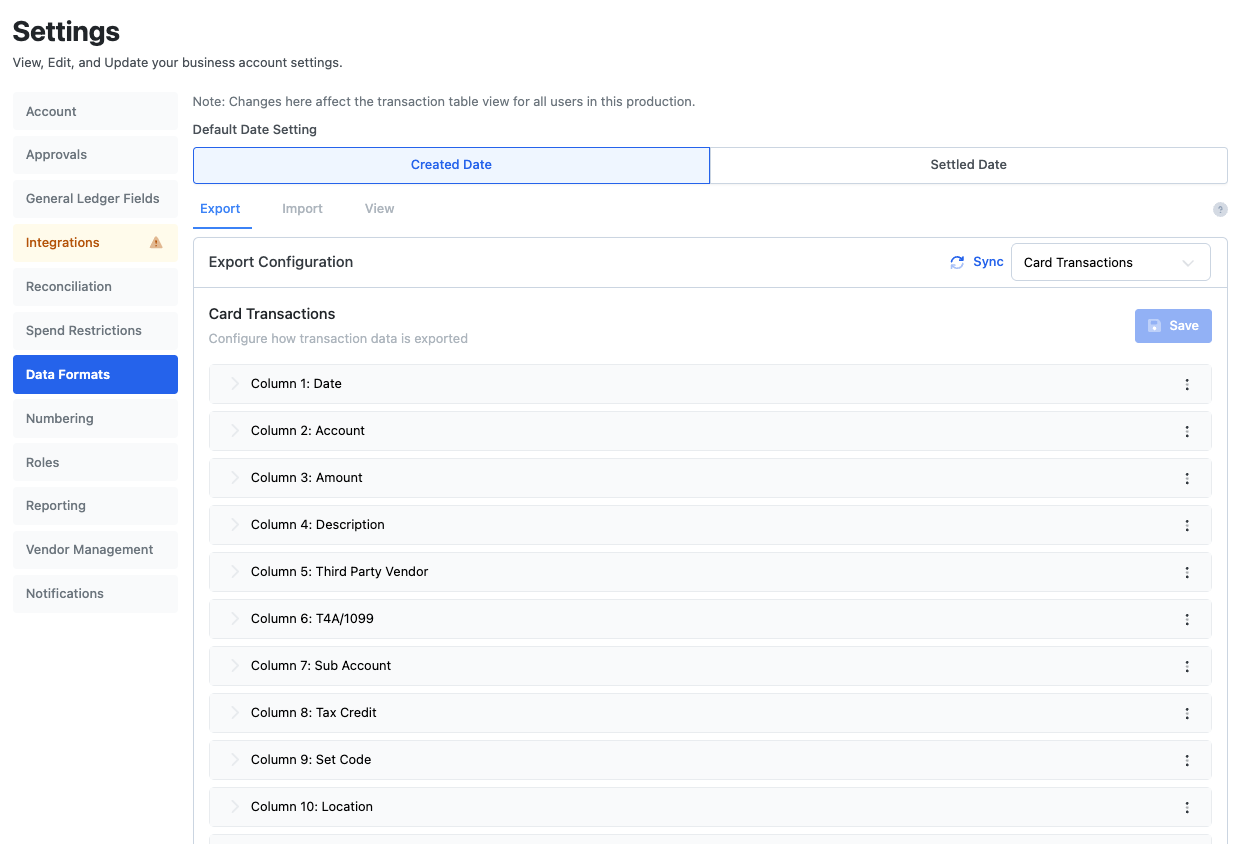
Go to Settings → Data Formats → Export and choose the data type: Card Transactions, Envelopes, Carbon, or the accounts payable types. Each column has a Column Header and a value.
A value can be a Field Option (amount, merchant, settled date, account code, set code, free fields, cardholder, envelope and more), a Preset Value that is the same on every row, or Advanced, which combines fields and text in one column. Max Characters trims a column to the length your system accepts.
Choose Add Column, put the columns in order and Save. Reset goes back to the saved version.
Extra options
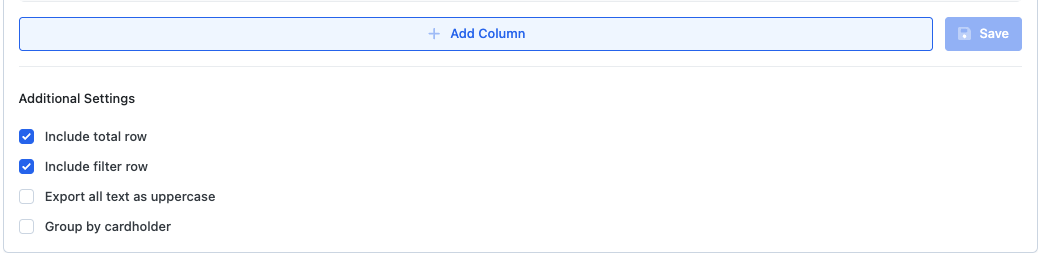
- Include total row and Include filter row on transaction and envelope exports.
- Export all text as uppercase, for systems that expect it.
- Group by cardholder on transaction exports.
- Inherit Transaction Export format makes envelope exports use the transaction columns.
- Default Date Setting chooses whether exports use the created date or the settled date.
- Copy every export format from another of your workspaces, so a new show starts with the same layout.
Accounting systems with a ready layout
| System | How to set it up |
|---|---|
| Wrapbook | Turn it on in Settings → Integrations. Dolly fills in the layout right away. |
| QuickBooks | Turn it on in Settings → Integrations. Dolly fills in the layout right away. |
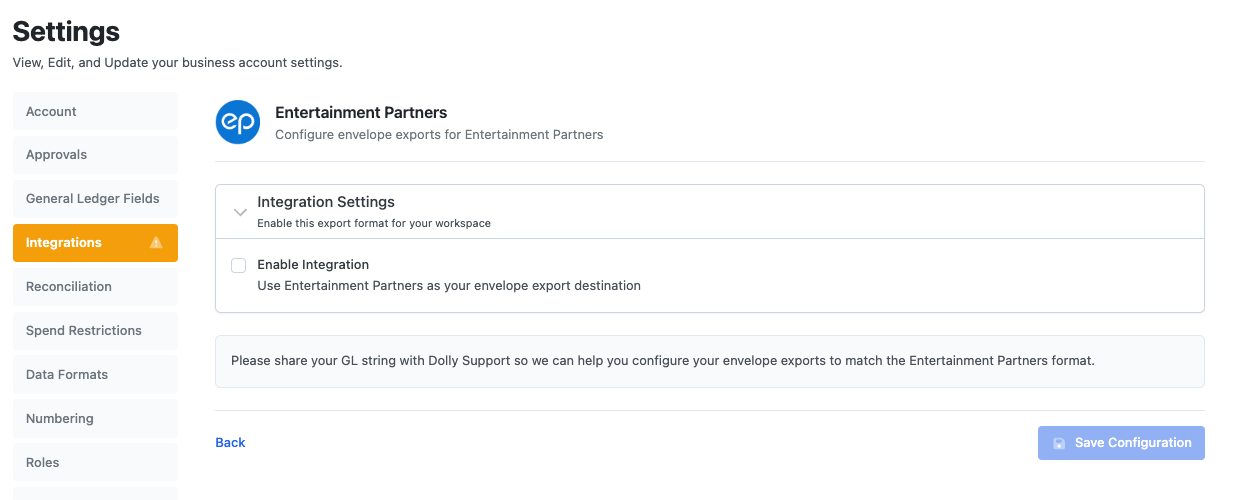
| Entertainment Partners | Turn it on, then send Dolly Support your GL string. Support sets up the envelope export to match, and it shows PENDING until then. |
| Cast & Crew | Same as Entertainment Partners: share your GL string with Dolly Support. |
Once one of these is on, envelopes are marked as posted from Settings → Integrations → Sync Data. Changes to the export columns change the file you import, so check with your accountant first.
Click through it yourself
Frequently asked questions
- Why does my export say there is no export configuration?
- Nobody has set up columns for that data type yet. Set them in Settings → Data Formats → Export, or contact Dolly Support.
- My codes lose their leading zeros in a spreadsheet. What do I do?
- Export to Excel instead of CSV. The Excel file keeps codes like 0305 as text.
- Can different shows use different export layouts?
- Yes. Each workspace has its own formats. You can copy them from another workspace to start.
Keep reading
Get cards to your crew in as little as 24 hours.
Dolly issues controlled cards to every department, codes each charge to your budget, and keeps spend audit-ready as it happens.