For Admin & Accounting
Using Dolly with GreenSlate
The short answer
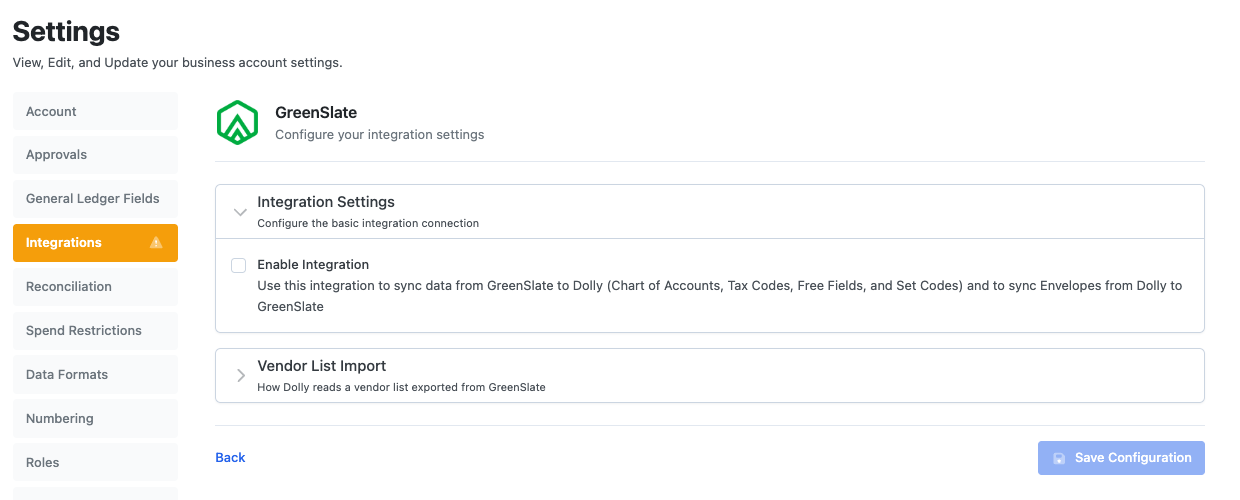
The GreenSlate integration works in both directions. Dolly pulls your chart of accounts, tax codes, free fields, set codes and other code lists from GreenSlate, and posts approved envelopes back to it. Dolly Support connects your GreenSlate project. After that, an admin can sync codes and post envelopes from Dolly.
Getting connected
- Ask Dolly Support to connect GreenSlate. They need your GreenSlate project ID and enter it for you.
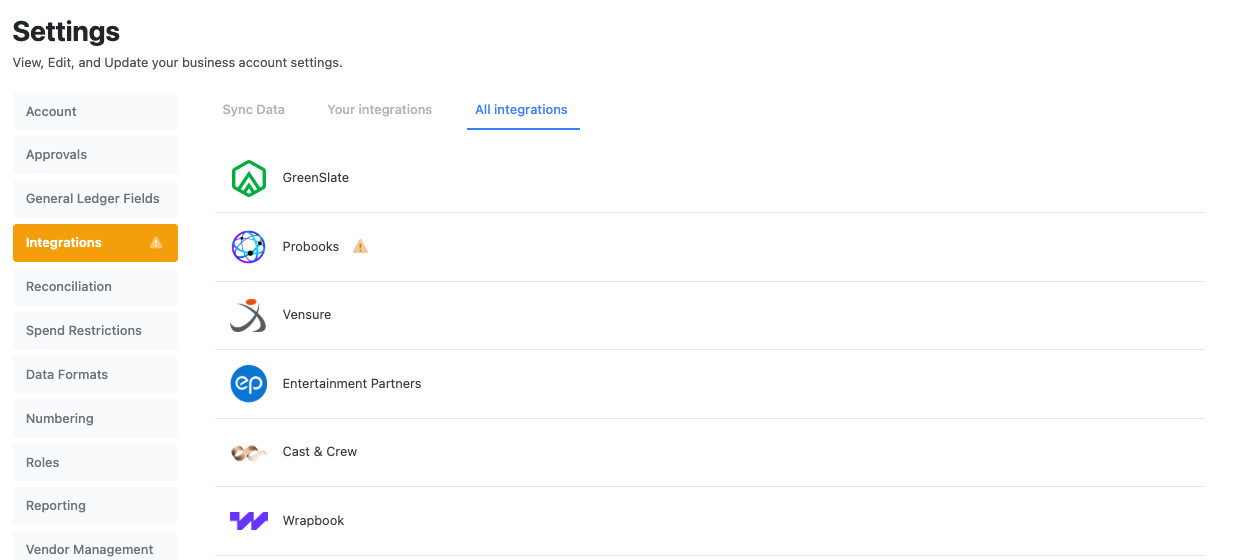
- In Dolly, go to Settings → Integrations, find GreenSlate and choose Configure →. Check that Enable Integration is on, then Save Configuration.
- Each card needs a PCard Vendor Code before its envelopes can post. For GreenSlate that is the card’s last 6 digits. Dolly Support usually sets it. If you use Use existing GreenSlate PCard Vendors, you can set it from the card page.
A workspace can have one accounting integration turned on at a time. Only admins who manage the workspace see Settings → Integrations.
Pull your codes into Dolly
Open Chart of Accounts, switch to edit mode and choose Sync from GreenSlate. Dolly shows what will change before it saves anything.
The same Sync from GreenSlate button is on each tab of Settings → General Ledger Fields: free fields, tax codes, carbon codes, locations, series, insurance, 1099 and asset/inventory codes. Sync again whenever the codes change in GreenSlate, so crew always code to current values.
Post envelopes to GreenSlate
On an approved envelope, choose Post to GreenSlate. When it goes through, the button changes to Posted to GreenSlate with the date.
To post several at once, go to Settings → Integrations → Sync Data, pick the approved envelopes and choose Post Envelopes to GreenSlate.
Settings worth knowing
- Exclude Receipts stops receipt images from going to GreenSlate.
- Prefix Description Sent to GreenSlate adds the date and merchant to the front of each line description, or a custom template.
- PCard Vendor Mode chooses whether Dolly creates the PCard vendor in GreenSlate or uses one you already set up.
Frequently asked questions
- Who can set up the GreenSlate integration?
- Dolly Support enters your GreenSlate project ID. After that, admins who manage the workspace can sync codes and post envelopes.
- Do I have to re-enter my chart of accounts in Dolly?
- No. Use Sync from GreenSlate on the Chart of Accounts page to pull it in, and again whenever it changes.
- Can I use GreenSlate and another accounting integration together?
- No. A workspace can have one accounting integration turned on at a time.
Keep reading
Get cards to your crew in as little as 24 hours.
Dolly issues controlled cards to every department, codes each charge to your budget, and keeps spend audit-ready as it happens.