For Admin & Accounting
Using Dolly with Probooks
The short answer
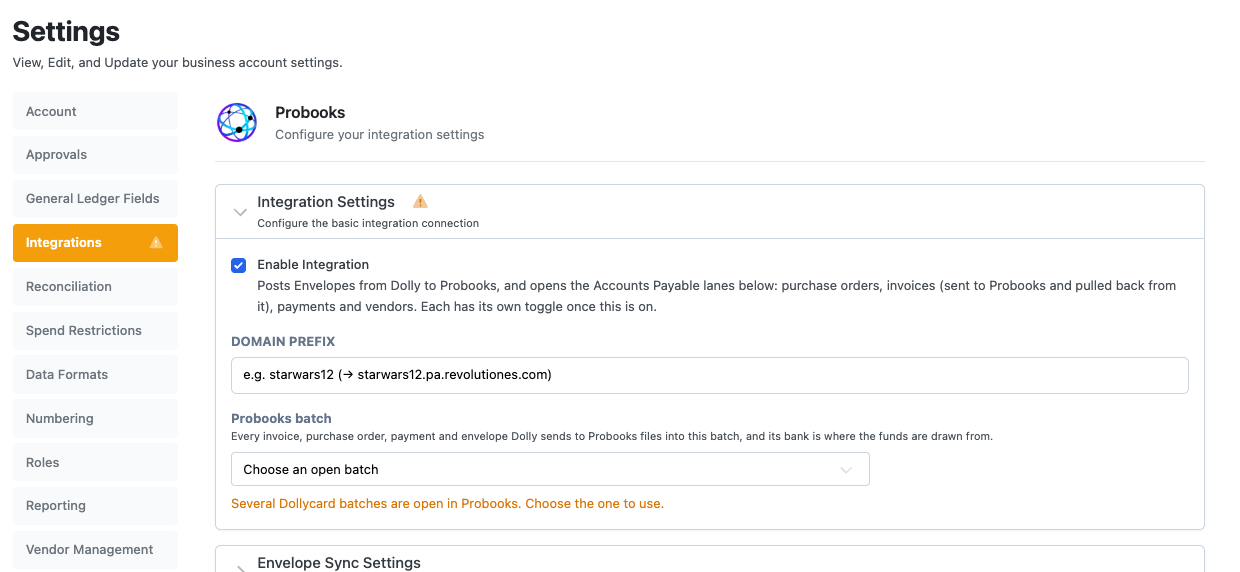
The Probooks integration (from Revolution) sends envelopes to Probooks. It can also send purchase orders, invoices, payments and vendors, and pull codes and invoices back into Dolly. Dolly Support requests access from Probooks and enters your domain prefix. Once Probooks confirms, choose a batch in Settings → Integrations and you are ready.
Getting connected
- Ask Dolly Support to connect Probooks. They request access from Probooks and enter your Probooks domain prefix. Until Probooks confirms, the integration shows PENDING.
- Go to Settings → Integrations → Probooks and choose the Probooks batch Dolly should send to. The Integrations tab turns amber when a batch needs choosing.
- Turn on the parts of accounts payable you want to send (see below), then Save Configuration.
Envelopes
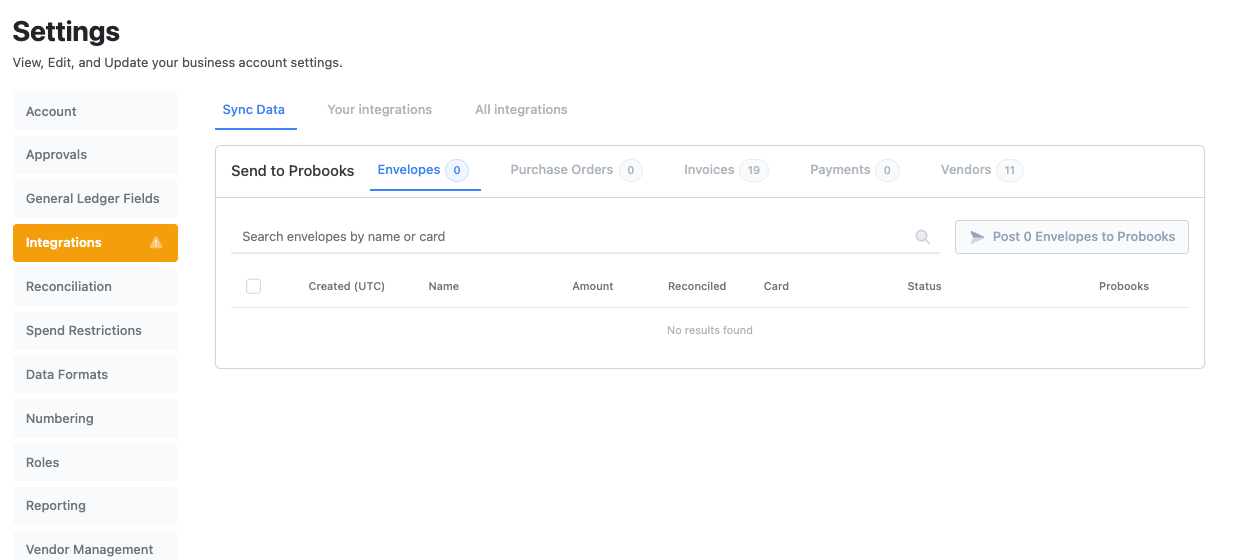
Under Send to Probooks, choose when envelopes go over. Pending approval sends unposted envelopes as drafts. Leave the draft in Probooks so Dolly can keep it up to date. Posted sends them once they are posted in Dolly, open in Probooks and ready to review.
Accounts payable
| What | What Dolly can do |
|---|---|
| Purchase orders | Send to Probooks from Draft, Pending approval or Open. |
| Invoices | Send to Probooks from Draft, Pending approval or Approved. Pull from Probooks from Draft, Open, Audited or Posted. Posted invoices arrive already approved. |
| Payments | Send paid payments, by hand or automatically when paid. |
| Vendors | Send any saved vendor. |
If an invoice draws on purchase orders that are not in Probooks yet, you choose whether to block it until the POs are sent (recommended), warn and let people send anyway, or send without drawing the POs down so your accountant relieves them by hand.
Codes and status
Use Sync from Probooks on the Chart of Accounts page, and Pull codes from Probooks for tax codes, free fields, locations, series, insurance and set codes. Import from Probooks brings in invoices and vendors.
Each synced item shows a badge: In sync with Probooks, Not synced, Out of sync, or Sync with Probooks failed. Choose See why the sync failed for the reason, then Retry sync.
Common reasons a sync fails
- The accounting period is closed in Probooks.
- The item is already posted in Probooks, so changes have to be made there.
- A vendor, code or field was deleted in Probooks.
- The batch is closed or missing. Pick a new one in Settings → Integrations → Probooks.
- Dolly could not sign in. Ask your Probooks administrator to check the Dolly API user.
Frequently asked questions
- Is Probooks the same as Revolution?
- Probooks is the accounting product from Revolution. In Dolly the integration is called Probooks.
- Why does my Probooks integration say PENDING?
- Dolly is waiting for Probooks to turn on access for your production. It switches on once Probooks confirms and your domain prefix is set.
- Can I edit an envelope after it has gone to Probooks?
- If it went as a draft, yes. Dolly keeps the draft up to date. Once it is posted in Probooks, make changes in Probooks.
Keep reading
Get cards to your crew in as little as 24 hours.
Dolly issues controlled cards to every department, codes each charge to your budget, and keeps spend audit-ready as it happens.