For Approver & Admin & Accounting
Envelopes for Admins: Approving, Posting and Settings
The short answer
Crew put charges in an envelope and send it for approval. Approvers Approve it, or Kick Back to an earlier step. Once it is approved, an admin chooses Mark as Posted, or Post to your accounting system. Posting locks the charges. Envelope rules live in Settings → Approvals, and the end-of-week pause is in Settings → Spend Restrictions.
Approving
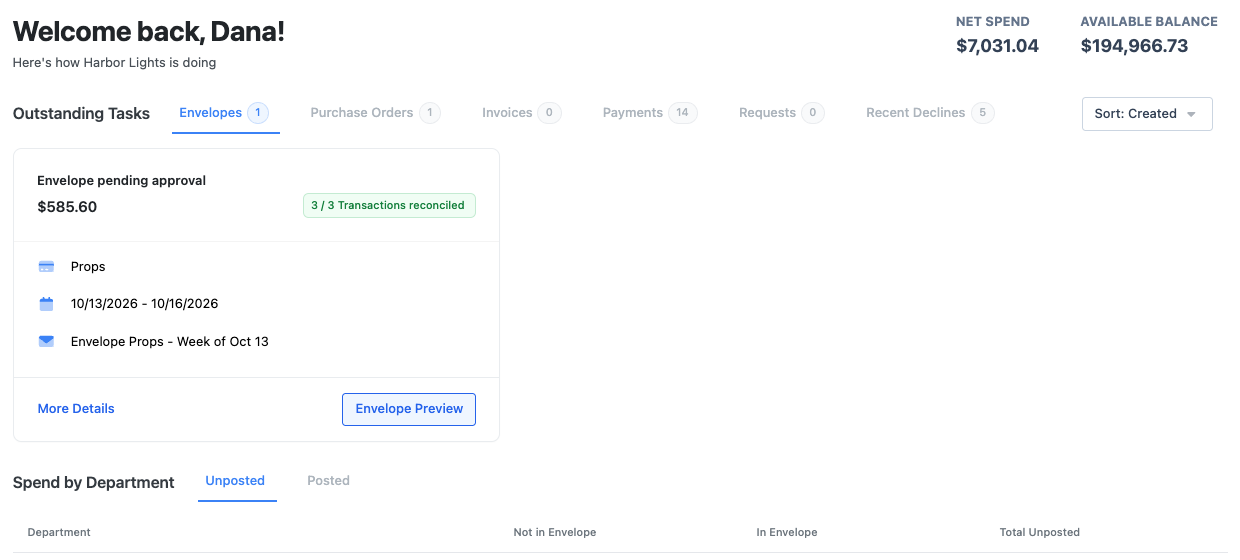
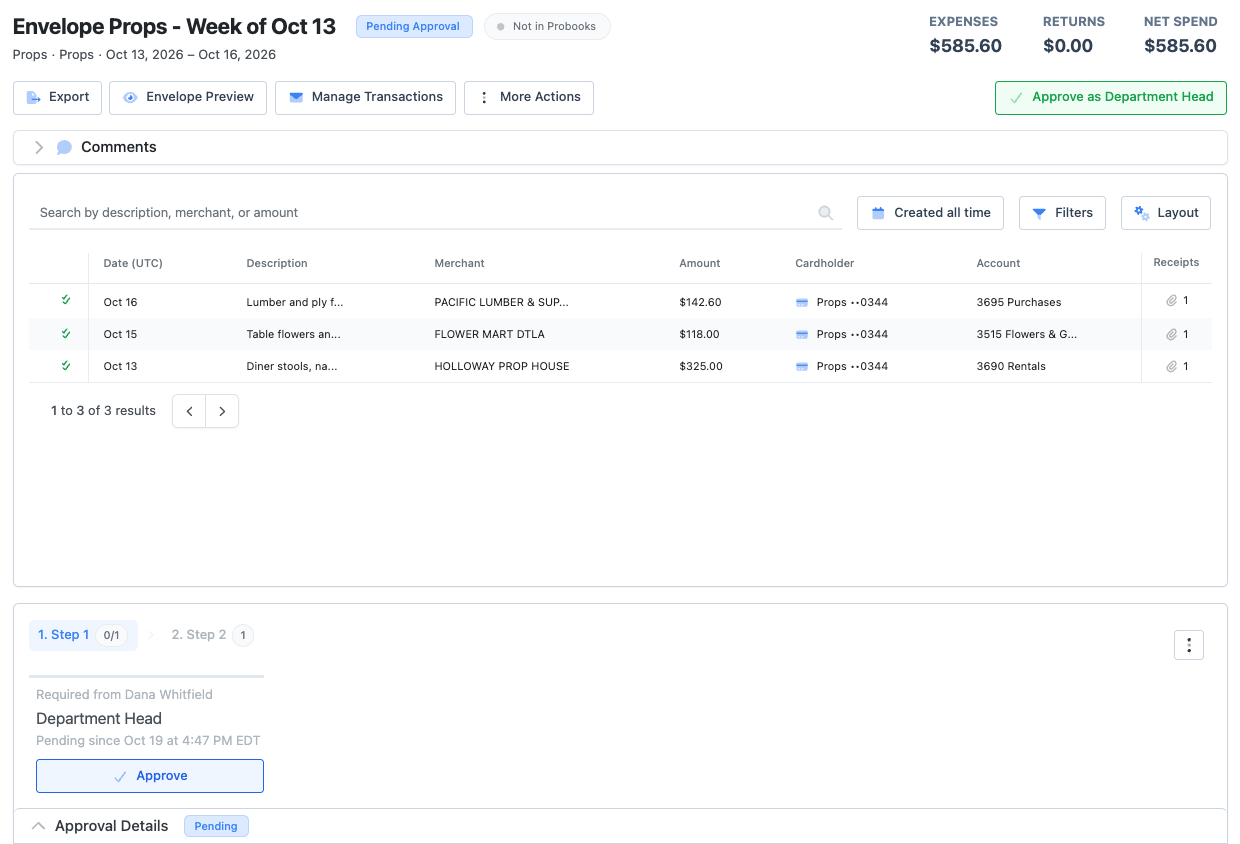
On PCards → Envelopes, the Pending Approval tab has a Pending My Approval filter. Open an envelope and choose Approve. Kick Back sends it to an earlier approver, and View next pending moves to the next one. Envelopes are approved or kicked back. There is no reject.
If you allow it on a step, approvers can also approve from the email with Review and approve, without signing in. See approvals.
Fixing an envelope
- Reopen Envelope sends a pending or approved envelope back to the cardholder to change and resubmit. You can add a comment and choose who is notified.
- Unlock Envelope lets an admin change charges in an approved or posted envelope. Lock Envelope closes it again.
- Override and send for approval submits an envelope that is missing receipts, coding or set codes. The override is recorded as a comment.
- Rename Envelope, Edit External Envelope ID and Delete Envelope (only when it is open and empty) are under More Actions.
Posting
On an approved envelope, choose Mark as Posted. With GreenSlate, Probooks or Vensure connected, the button reads Post to that system and sends the envelope there. To post many, open the Approved tab and choose Select for Bulk Posting.
If Settings → Spend Restrictions → Adding Funds → On posted envelope is on, posting asks whether to Post Only or Post & Add Funds, which tops the card back up.
Posted envelopes are locked. Every charge in one counts as reconciled, and nobody can add receipts to it.
Envelope settings (Settings → Approvals → Envelopes)
- Require all transactions meet the reconciliation requirements before an envelope can be sent for approval.
- Limit max transactions per envelope. The default is 25.
- Enable week based envelopes ties each envelope to a Monday-to-Sunday week. Auto-create envelopes makes one for every card each Monday with last week’s settled charges, so crew only review and send.
- Default naming sets the envelope name from the cardholder’s initials, card last 4 and envelope number, for example JD-1234x3.
Click through it yourself
Manage and approve envelopes
Review envelopes waiting on you, filter by approver, comment and export.
Frequently asked questions
- Can I change a charge after the envelope is approved?
- Unlock the envelope first, or reopen it so the cardholder can fix it and resubmit.
- Why can’t I post an envelope?
- It has to be approved first. With an accounting integration, the card also needs its PCard Vendor Code.
- Can I export envelopes?
- Yes. The Envelopes list exports a summary, a detailed file or individual envelopes as PDF, CSV or Excel. See exporting from Dolly.
Keep reading
Get cards to your crew in as little as 24 hours.
Dolly issues controlled cards to every department, codes each charge to your budget, and keeps spend audit-ready as it happens.