For Approver & Admin
Approvals in Dolly
The short answer
Set approvals in Settings → Approvals. Each type, such as envelopes, purchase orders, invoices, payments, reimbursements, vendors and crew requests, has its own steps. Everyone in a step is notified at once, steps run in order, and each person listed must approve. Turn on Allow approval by email and approvers can act from the email without signing in.
Set up steps
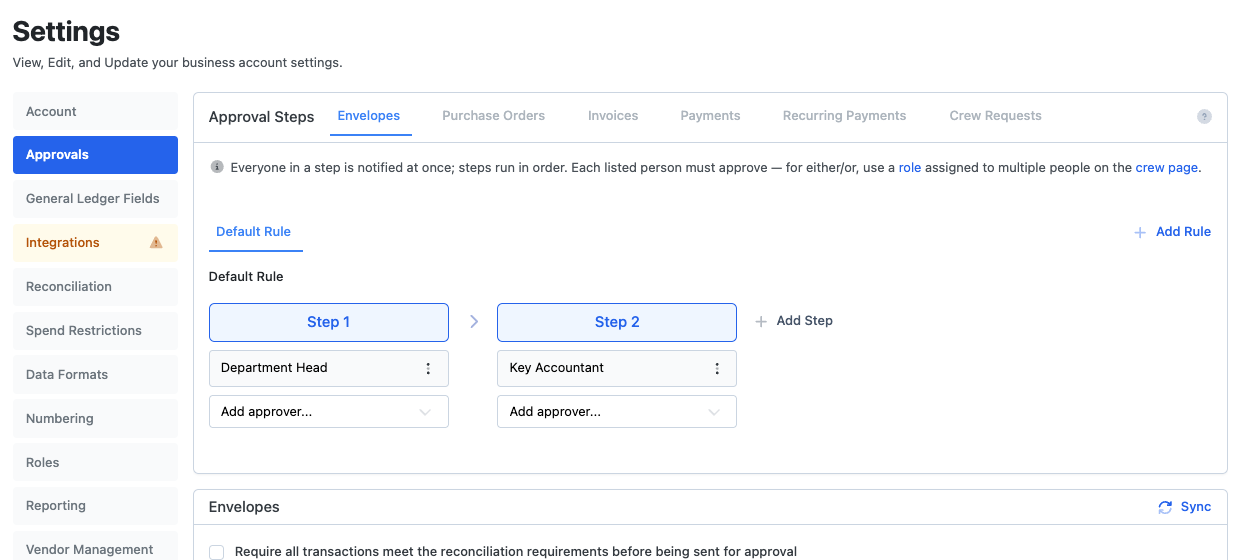
- Go to Settings → Approvals and pick the type.
- On Default Rule, choose Add Step, then Add approver... for each person or role.
- Add more steps for a second sign-off. Use Add Rule for a different chain on certain cards, departments or request types.
An approver can be a person, a role, or the Card Controller, Department Head or Any Admin. For either/or, use a role that several people hold. Each person listed by name has to approve.
Step options
- Apply amount threshold makes the step apply only above a minimum amount.
- Apply when vendor is not approved, for payments.
- Allow approval by email puts a Review and approve button in the email. It works without signing in, once, for 7 days.
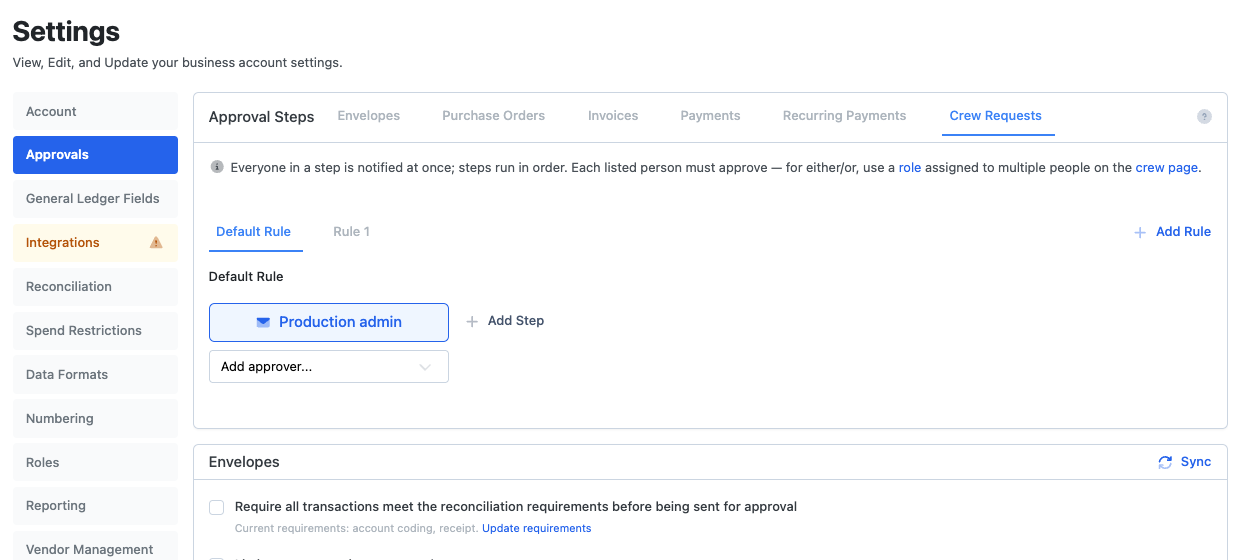
Crew requests
Crew can text Dolly to ask for a card to be unpaused, a higher limit, more available to spend, or a store to be unblocked. Those go to the Crew Requests approvers. With no rule set, any admin can decide. The request and its outcome show on the card under Requests.
What approvers get
An email with a link to the item, and Review and approve if email approval is on. In Dolly, the Pending Approval tab has a Pending My Approval filter. Only an approver on the current step can approve.
Click through it yourself
Set up approval workflows
Add approval steps, assign approvers to each one and set amount thresholds.
Frequently asked questions
- Can I require two people to approve?
- Yes. Put both people in one step, or add a second step.
- Can large amounts need an extra approver?
- Yes. Add a step and turn on Apply amount threshold with the minimum amount.
- Does an approval link work if someone forwards the email?
- The link works once and expires after 7 days. Turn email approval off on any step where that is not acceptable.
Keep reading
Get cards to your crew in as little as 24 hours.
Dolly issues controlled cards to every department, codes each charge to your budget, and keeps spend audit-ready as it happens.