For Admin & Accounting
Using Dolly with Cast & Crew PSL+
Dolly Card3 min read
The short answer
Share your GL string with Dolly Support so your envelope export matches PSL+, and give each card its account code. In PSL, create a PCard vendor for each card. After that, export each approved envelope from Dolly as CSV or Excel and import it in PSL under Journal Entry.
Set up Dolly (once)
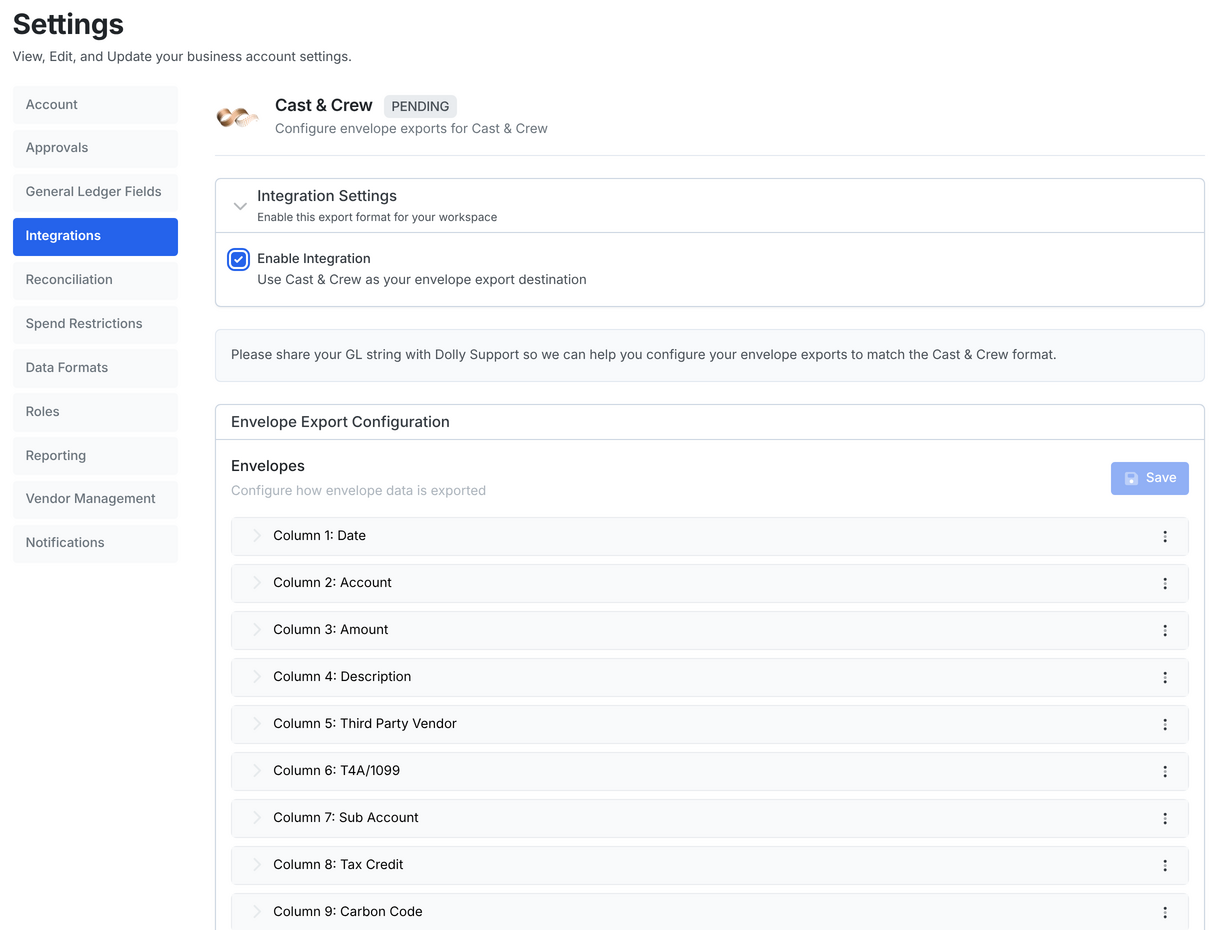
- Go to Settings → Integrations → All integrations, choose Cast & Crew, tick Enable Integration and Save Configuration. It shows PENDING until your export layout is set.
- Send your GL string to Dolly Support. They set your envelope export to match it. You can also change the columns yourself in Settings → Data Formats → Export → Envelopes.
- Give each card its account code, the account its charges post against in PSL. Open the card, choose the three-dot menu (⋮), then Edit Account Code. Dolly Support can set these for you if you send the list.
Create the PCard vendors in PSL
- In PSL, go to Accounts Payable → Vendor → Vendor Entry (apven).
- Create a vendor for each Dolly card and tick PCard.
- In Card #, enter the last six digits of the Dolly card.
- In PCard Advance Account, enter the account code you gave that card in Dolly.
Import an envelope
- In Dolly, open the approved envelope on Envelopes, choose Export, then Export as CSV or Export as Excel.
- In PSL, go to Journal Entry and choose Import Excel or Interface File, depending on your PSL version. Select the file and import it.
To export several at once, open the Approved tab on Envelopes, choose Select for Bulk Posting, select the envelopes, then Post X Envelopes. Tick CSV or Excel and choose Post & Export.
Frequently asked questions
- Why does Cast & Crew say PENDING?
- Dolly Support hasn’t matched your envelope export to your GL string yet. Send it to support@dollycard.com.
- PSL won’t accept my file. What do I check?
- Check that every charge in the envelope is coded, that the card has an account code, and that a PCard vendor in PSL has that card’s last six digits. Then send the file to Dolly Support.
Keep reading
Get cards to your crew in as little as 24 hours.
Dolly issues controlled cards to every department, codes each charge to your budget, and keeps spend audit-ready as it happens.
& get cards to your crew in as little as 24 hours.