Everyone
Signing In to Dolly
Dolly Card3 min read
The short answer
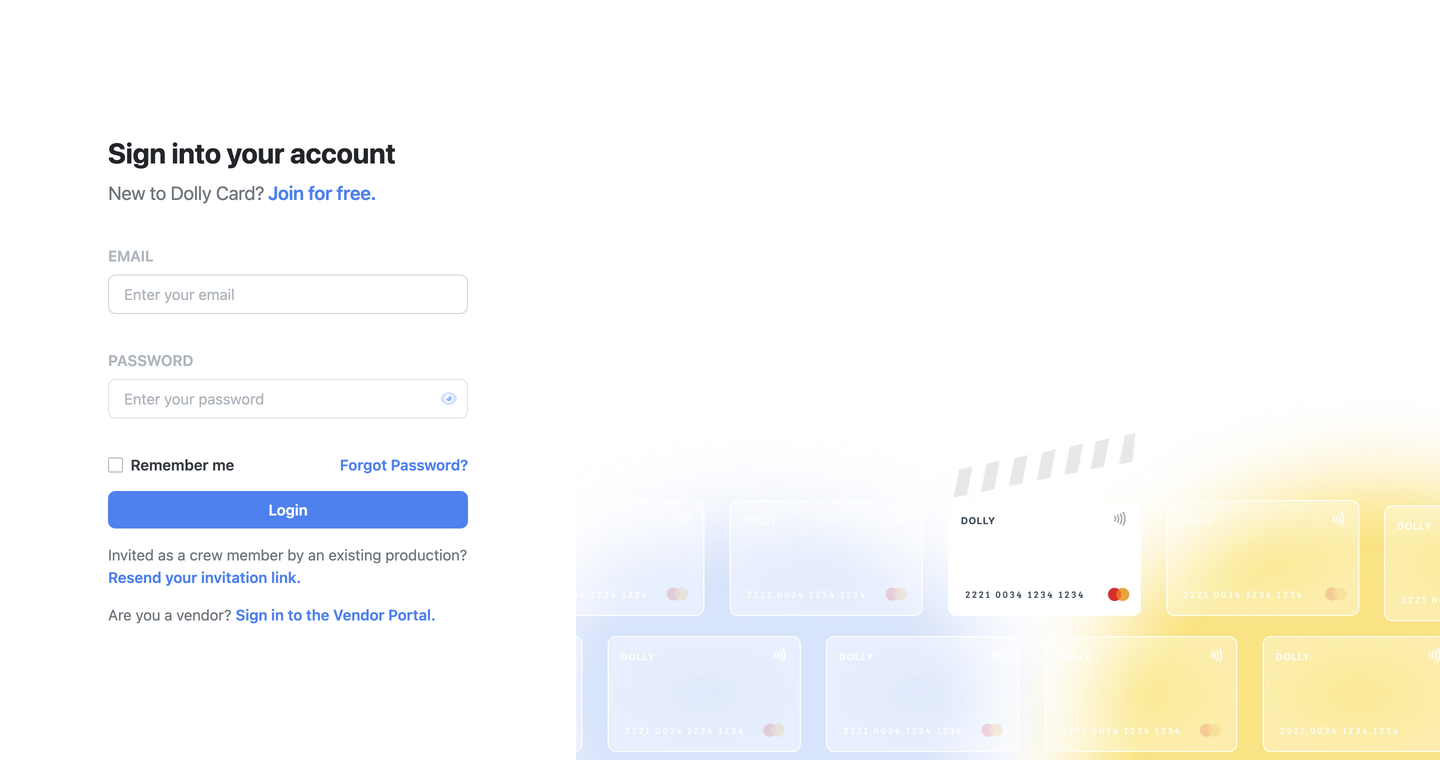
Go to app.dollycard.com/login and enter your email and password. Dolly then emails you a 6-digit code. Enter it to finish. The first time, use the temporary password from your invite email. If you forget your password, choose Forgot Password?.
Your first sign-in
- Find the email Your temporary password from Dolly. It has your username and a temporary password.
- Go to app.dollycard.com/login, enter your email and the temporary password, and choose Login.
- Enter the code Dolly emails you.
- On Looks like you were invited!, add your first and last name, choose a new password and select Join.
Passwords need at least 8 characters, with an uppercase letter, a lowercase letter, a number and a symbol.
The email code
Every sign-in ends with Check Your Email. Enter the 6-digit code from the email and choose Verify & Continue. Codes expire after 5 minutes, so use the newest one. Check spam if it doesn’t arrive.
Forgot your password
- Choose Forgot Password? on the sign-in page and enter your email.
- Dolly emails a temporary password. Choose I’ve Received the Email.
- Enter the temporary password, then set a new one.
This is also how crew change a password.
Frequently asked questions
- Is there a Dolly app?
- Dolly works in your phone’s browser at app.dollycard.com. Most day-to-day things, like receipts and coding, can also be done by text.
- Why was I signed out?
- For security, sessions end after a while. Sign in again with your password and the email code.
- My email address changed.
- Ask your admin to update it. See changing your name, email or phone.
Keep reading
Get cards to your crew in as little as 24 hours.
Dolly issues controlled cards to every department, codes each charge to your budget, and keeps spend audit-ready as it happens.
& get cards to your crew in as little as 24 hours.