For Admin & Accounting
Editing Vendors and Changing Bank Details
The short answer
Open the vendor and choose Edit on Vendor Information. For a new bank account, choose Add under Payment Methods, or better, ask the vendor to add it with Ask vendor. A change to bank details someone asked for by email is the most common payment fraud, so always check it on a phone number you already had, never one in the email.
Edit the vendor
Choose Edit, change what you need and Save. You can change names, DBA, email, phone, tax ID, business type, website and description. An email can be changed but not removed.
If vendor approval is on, some changes go to approvers first. The vendor shows Update Pending Approval, and Dolly says “Changes submitted for approval”. Which changes need approval is set in Settings → Vendor Management.
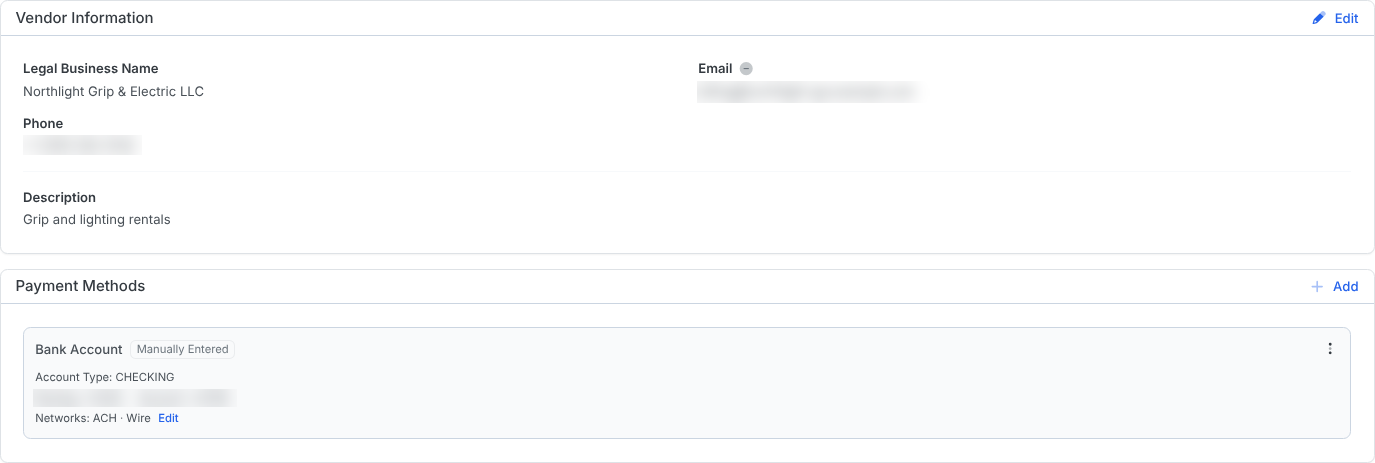
Add a new bank account
- Under Payment Methods, choose Add, then Bank Account or Check.
- Enter the details and choose Save Payment Method. Or choose Ask vendor to email the vendor a secure link to enter them.
- If your workspace requires payment method verification, Dolly asks the vendor to confirm a method they did not add themselves. Payments to it can be saved as drafts but not sent until they do. Choose Confirm by phone to record that you confirmed it on a call instead.
- If your studio requires it, a new bank account shows Awaiting release until a studio admin chooses Release.
Dolly emails the people in your Communication Emails whenever a vendor’s bank account changes. See Vendor Settings and Payment Holds.
Individual to business
If a vendor was set up as a person and is really a company, edit the vendor and enter the Legal Business Name and EIN. Ask them for a new W-9 for the business and upload it under Documents.
Remove or suspend a vendor
More Actions → Remove Vendor takes the vendor off this workspace. Dolly will not remove a vendor that is still on open items here.
More Actions → Suspend Vendor keeps the vendor but blocks new purchase orders, invoices and payments for them. You give a reason, and Unsuspend Vendor reverses it.
Frequently asked questions
- A payment is pending and the vendor sent new bank details. What happens?
- A payment already sent goes to the old account. If it has not left yet, cancel it, add and confirm the new account, then send a new payment. See Failed, Canceled and Returned Payments.
- Why is a payment method marked Failed?
- A payment to it failed, so Dolly turned it off. Fix or replace it. If you know the account is good, you can restore it from its menu.
- The bank details on the invoice don’t match the vendor’s bank letter. Which do I use?
- Neither until you have called the vendor on a number you already had. Ask the vendor to enter the account themselves with Ask vendor, so nobody re-keys it.
- Will Dolly send 1099s for our vendors?
- No. Dolly collects your vendors’ W-9s and tax IDs and sends business types to Probooks, but filing 1099s stays with your accounting team. Export vendor details from the Vendors page with Export.
Keep reading
Get cards to your crew in as little as 24 hours.
Dolly issues controlled cards to every department, codes each charge to your budget, and keeps spend audit-ready as it happens.