For Admin & Accounting
Vendor Payment Methods
The short answer
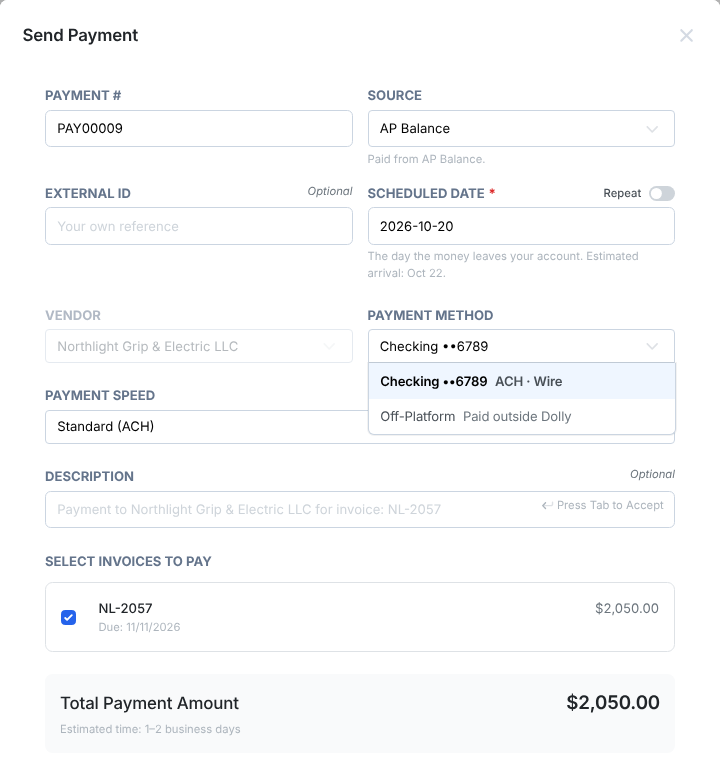
A vendor can have a bank account (paid by Standard (ACH) or Wire (same-day)), a check mailing address, an international bank account, or be paid with a single-use card. Every vendor also has an Off-platform method for payments you made outside Dolly. Dolly shows the speed and any fee for each option before you send.
Methods at a glance
| Method | What the vendor needs | Notes |
|---|---|---|
| Standard (ACH) | US bank account | 1-2 business days. Can be canceled until it is sent. |
| Wire (same-day) | US bank account that accepts wires, and a mailing address | Cannot be canceled once sent. |
| Check | Payee name and mailing address | Mailed to the vendor. |
| International bank | A bank account abroad | Paid in the vendor’s currency. See Where AP Payments Can Go. |
| Single-use card | Nothing extra | You use it yourself, or Dolly sends it to the vendor’s email. |
| Off-platform | Nothing | Records a payment you made outside Dolly. |
ACH or wire
When you pay a bank account, Payment Speed offers Standard (ACH) and Wire (same-day). Each option shows its fee and timing, for example “No fee, 1-2 business days”. If the payment is funded from your own bank, the timing starts once that funding clears.
A wire needs the vendor to have a complete mailing address. If a method only takes one kind, the other option is greyed out with the reason.
Checks
Add a check under Payment Methods → Add → Check with the payee name (“Pay to the order of”) and mailing address. If the vendor is an individual, they also need an email on file before you can pay them.
Single-use card
Under How to pay, choose Single-use card instead of Bank transfer or check. Then choose I’ll use it myself to pay on the vendor’s website, or Send it to the vendor to email the card to them. The payment stays pending until the card is charged.
Off-platform
Use Off-platform when you already paid the vendor another way, for example by your own check or a card in person. The payment shows Paid outside Dolly as its source, no money moves, and once it is approved an admin chooses Mark as Paid. Your invoices and reports stay complete.
Frequently asked questions
- What does Off-platform mean?
- Dolly records the payment but does not move any money. Use it for payments you made outside Dolly so the invoice still closes out.
- Can we pay a bank outside the US?
- Yes, to the countries listed in Where AP Payments Can Go. Add the vendor’s bank under Payment Methods. Dolly shows the exchange rate and fees before you send.
- Can we pay by Venmo or PayPal?
- No. Pay the vendor’s bank account, by check, or with a single-use card. If you paid by another app, record it as Off-platform.
- Why is the ACH option greyed out?
- That payment method only accepts wire transfers. Choose Wire, or add another bank account.
Keep reading
Get cards to your crew in as little as 24 hours.
Dolly issues controlled cards to every department, codes each charge to your budget, and keeps spend audit-ready as it happens.